


Razer BlackWidow V3 Pro Review – Needs One Major Improvement
-
Appearance - 8.5/10
8.5/10
-
Efficiency - 6/10
6/10
-
Features - 7.5/10
7.5/10
-
Materials - 8/10
8/10
-
Performance - 8/10
8/10
-
Portability - 6/10
6/10
-
User Experience - 8.5/10
8.5/10
-
Value - 8/10
8/10
Summary
The Razer BlackWidow V3 Pro is a solid wireless mechanical gaming keyboard, and it’s at a market segment with little competitors around.
Overall
7.6/10Pros
+ Great for both work and play
+ Good build quality
+ RGB lighting is mesmerizing
+ Dedicated media controls
+ 2.4GHz, Bluetooth, and wired connectivity options
+ Doubleshot ABS keycaps has a premium feel
+ Good customization options on Razer Synapse
Cons
– Battery life is decent at best
– No dedicated macro keys
– No mechanism to attach the wrist rest for better placement consistency
– Pricey
Unboxing the Razer BlackWidow V3 Pro

Let’s kick off the Razer BlackWidow V3 Pro review with the unboxing. As usual, the box follows the same scheme with other Razer products with the colours and feature highlights. Inside the box, you are expected to find the following items:

- Welcome note by CEO Min-Liang Tan
- User guide
- Thank You note
- USB-C to USB-A cable
- Razer stickers
- Plush leatherette wrist rest
- The Razer BlackWidow V3 Pro keyboard itself.
Appearance

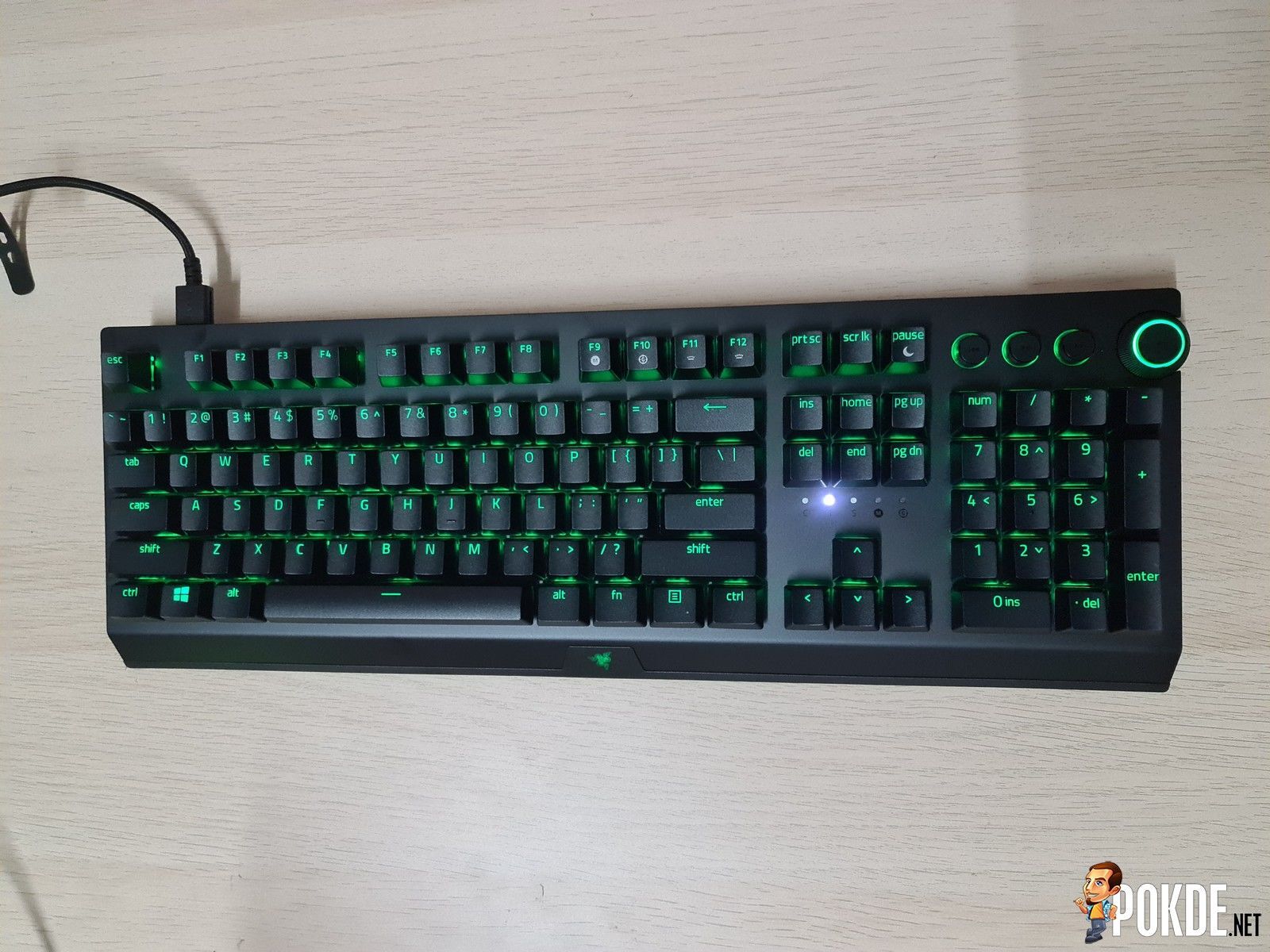
The Razer BlackWidow V3 Pro is a full-sized wireless mechanical gaming keyboard complete with dedicated media control keys. What immediately sets it apart from the other keyboards in the V3 series is the inclusion of the plush leatherette wrist rest, which does wonders for comfort.
It uses Doubleshot ABS keycaps, has the flashy Razer Chroma RGB, an aluminum top plate and a plastic base. It’s worth noting that that the keycap font have a more relaxed look to it with the use of thin and lowercase letters. There are no extra macro keys here, and the dedicated media control keys consist of Previous, Play / Pause, and Next buttons alongside a volume dial which can be pressed in order to mute audio.

Open up the keycap and you’ll get a look at the mechanical switch, which is the clicky Razer Green switches for this one. Alternatively, you do have the option for a linear Razer Yellow switches for this model. The RGB lighting shines better here thanks to the use of transparent switch housings.

On the front, you have the company’s signature triple-headed snake logo, which stealthily sits there when it’s not powered, and glows in glorious RGB lighting when powered up.

As for the left side, you have the keyboard’s power switch, which has three different modes; 2.4GHz, Off, and Bluetooth. There’s on nothing on the right side that’s worth mentioning except for the volume dial sticking out slightly.

Moving over to the rear, you will only find the USB Type-C port, which can be used for charging or connecting to devices with a wire.


Turn the keyboard over to the bottom and you will find some product details in the centre, two keyboard feet to give the rear a bit of a lift, and four rubber pads (one on each corner) to ensure that the keyboard doesn’t move on the surface its placed on. There’s also a small compartment here which, when taken off the cover, reveals the keyboard’s USB dongle.

Overall, the Razer BlackWidow V3 Pro retains most of the signature design elements from their previous BlackWidow keyboards and brought it into a new wireless form. It looks good with the RGB lighting on, the Doubleshot ABS keycaps feel more premium compared to the BlackWidow V3 TKL, and the media control keys are great to have. It’s not what I would consider as portable however, despite it being wireless, due to the size.
If you want a smaller keyboard, check out our review of the Razer BlackWidow V3 TKL by clicking right here.
Specifications
| Body Material: | Aluminium top plate with matte finish, plastic base |
| Form factor: | Full-size |
| RGB: | Yes, per-key Razer Chroma |
| Keycap: | Double Shot ABS keycaps |
| USB report rate: | 1000Hz ultrapolling |
| Switch Type: | Razer Green switches (clicky and tactile) Razer Yellow switches (linear) |
| KRO: | N-key roll-over with built-in anti-ghosting |
| Anti-ghosting: | Yes |
| Microprocessor: | N/A |
| Memory: | Hybrid On-Board Memory and Cloud Storage, up to 5 profiles |
| Connectivity: |
Wireless Wired |
| Included Accessories: |
|
| Dimensions: | 450.7 x 248.4 x 42.3 mm, 1.4kg |
User Experience
To power the Razer BlackWidow V3 Pro keyboard, you will need to use a USB-Type C cable to charge it up or to connect it to devices. You an even use your smartphone charger if you’d like. Like with other Razer gaming peripherals, you will be prompted to install Razer Synapse if you haven’t done so already. However, it’s optional and you can still use the keyboard without it.

With Razer Synapse, you can customize button functions, adjust power saving features, and adjust RGB lighting. You have a good number of options to customize the keyboard here, without it being excessive, especially with HyperShift mode.

When it comes to RGB lighting, Razer is without a doubt one of the best around with their Razer Chroma RGB. You can have up to 16.8 million colours in a variety of lighting modes. You can even have the lighting sync up with the audio or what you’re doing, provided that the software / game supports it. Personally, I’ve never been disappointed by Razer’s RGB lighting implementation, and you won’t be as well with this keyboard. Seeing the media controls light up in glorious RGB lighting is especially satisfying.

As for key rollover, the Razer BlackWidow V3 Pro managed to detect up to 20 buttons at the same time. I pressed all of these using my entire left hand, in case you were wondering. I’ve seen more in other keyboard, even wireless ones, but this is still more than what most people would need to press at any given moment.

As for the typing experience, the keyboard is tactile and very audibly clicky. It’s a joy to type on, and it feels better than the TKL variant. This is odd to me since both are using Doubleshot ABS keycaps. I typically prefer PBT keycaps but in this case, I’m more than happy to use this. If you have people around you that don’t like the noise that the switch makes, you can always opt for the linear Razer Yellow switches instead.
The wireless connectivity options available here makes it a great keyboard for versatility. You can connect to devices via wired, 2.4GHz wireless, or Bluetooth. In 2.4GHz wireless, the delay is essentially non-existent but this can start to change as the battery life starts to get low. As for Bluetooth, there is a very small delay here but I dare say that most people would not notice this. If you’re a competitive gamer, best to stick to wired or the 2.4GHz setting.

One major addition that sets apart the Razer BlackWidow V3 Pro compared to the other keyboards in the same series is the plush leatherette wrist rest. It’s thick and comfortable, providing a nice resting place for your wrists. My only complaint about this is that there’s no mechanism to attach it. It would be nice if it had clips or magnets so the wrist rest would be more consistently in place.
Since this is a wireless gaming keyboard, I’m sure many of you are wondering about the battery life. This is the one area that I feel the Razer BlackWidow V3 Pro falls a little short. Razer claims that the battery life can go up to 192 hours, but that is with RGB lighting disabled. With it enabled at 50% brightness however, it falls to about 24 to 25 hours. Essentially, you can easily get a day or two’s worth of use, but you will be charging it often enough, which may turn some people off. Personally, I would say that this is decent at best.
Razer BlackWidow V3 Pro Verdict
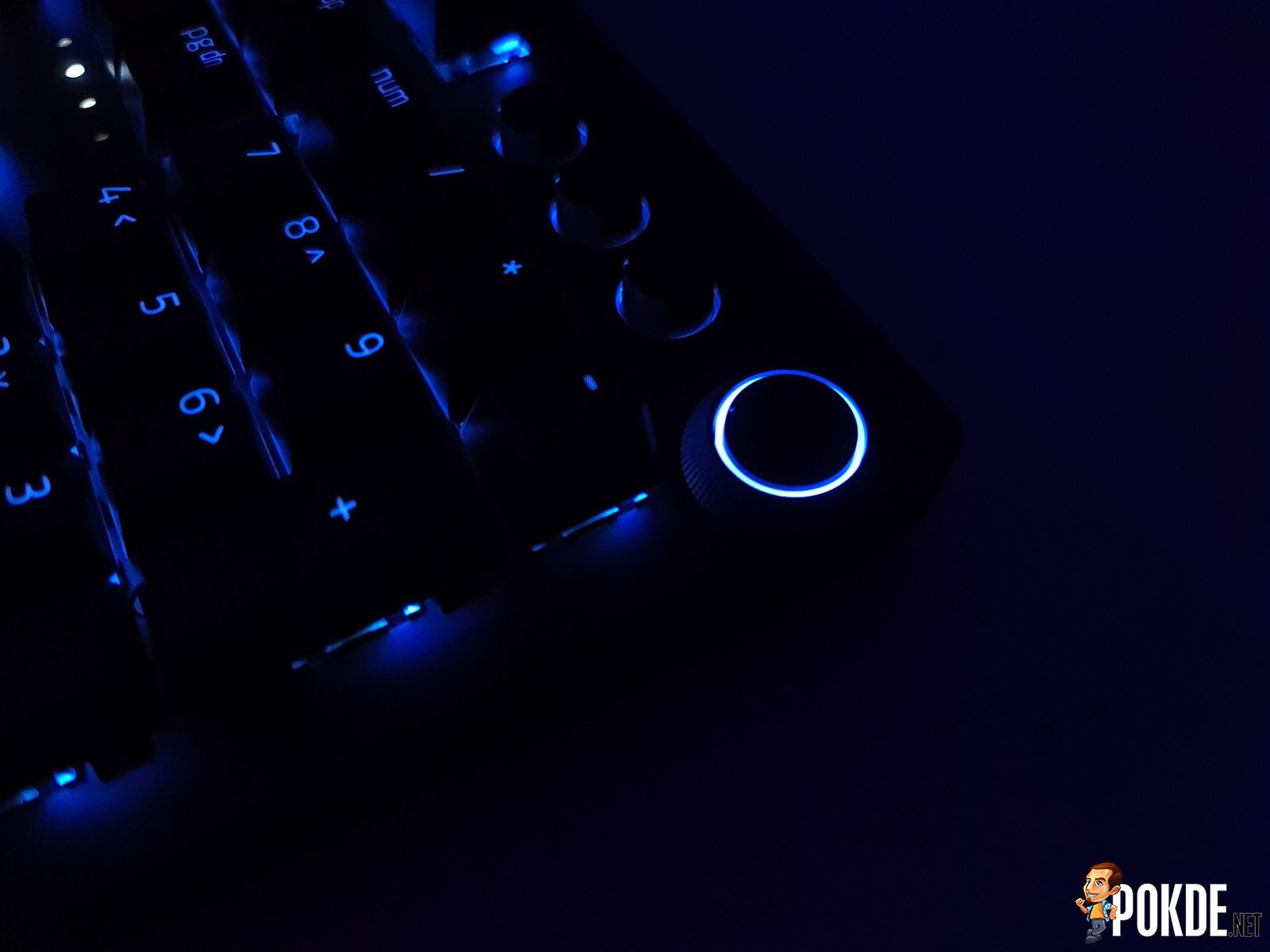
The Razer BlackWidow V3 Pro is a solid wireless mechanical gaming keyboard for both work and play. The build quality is good, the RGB lighting is mesmerizing, you get dedicated media controls, multiple connectivity options, the Doubleshot ABS keycaps feel better than the TKL variant, and you have good customization options for the buttons and lighting on Razer Synapse.
However, it’s not the perfect gaming keyboard. The battery life is decent at best, there’s no dedicated macro keys, there’s no mechanism to attach the wrist rest for better placement consistency, and it’s pricey. At RM999, if you can stomach the asking price, it will definitely serve you well, especially since there are very limited options for a full-sized wireless mechanical keyboard to begin with.
Had the battery life been longer, I would have given it a Gold. At the end of our Razer BlackWidow V3 Pro review, I award this with our Silver Pokdeward.

Big thanks to Razer Asia Pacific for sending us this keyboard for the purposes of this review.


![[UPDATED: Statements] Forza Horizon 6 Dev Drops Multi-Millennial Ban Hammer To Cheater Before The Game Has Even Released - 74](https://cdn.pokde.net/wp-content/uploads/2026/05/12022254/fh6leakpermabancover-420x280.jpg "[UPDATED: Statements] Forza Horizon 6 Dev Drops Multi-Millennial Ban Hammer To Cheater Before The Game Has Even Released - 75")


