How To Boost Smartphone Battery Life
It’s something common to realize that after you’ve used a smartphone for several years, you notice that the battery life is getting shorter and shorter. While it is a natural process, here’s some things that you can do to boost your smartphone’s battery life.
How to boost smartphone battery life
Do you really need Bluetooth?

Okay, it’s safe to say that Bluetooth is important and it’s something that’s utilized quite often these days. With that being said, if you aren’t actually connecting your device to something, it’d be wise to simply turn off the connection. While it isn’t draining much of the battery if it’s not connected to a device, every single percentage counts.
High refresh rate display plays a part
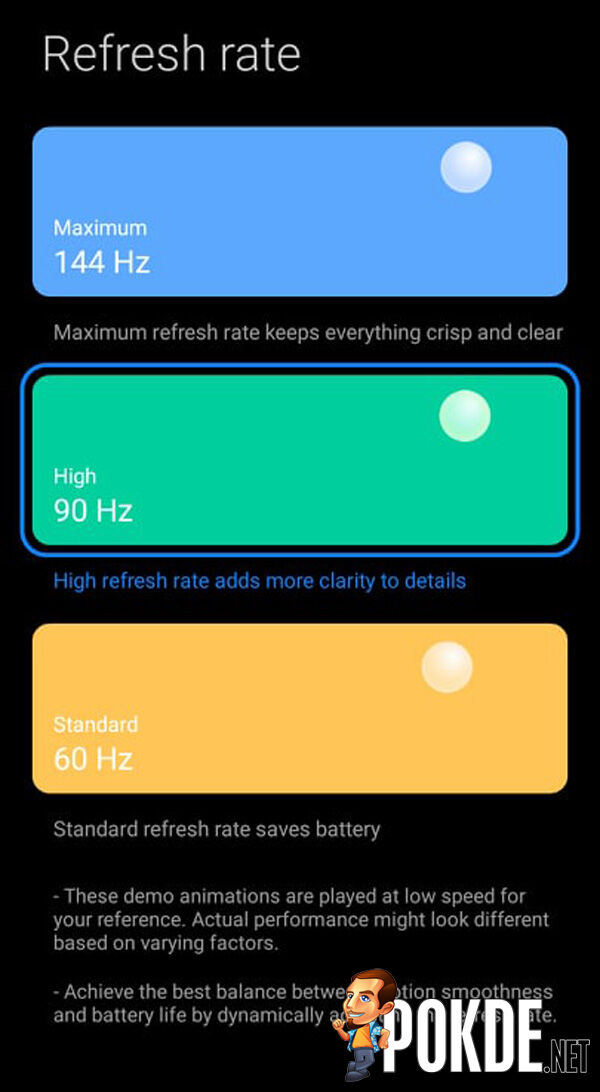
In today’s world, it’s quite normal to see fast refresh rates on smartphone displays, which can go up to 144Hz such as the Black Shark 4 Pro that we recently reviewed. As you can imagine, the high performance can drain the battery rather quickly. You can either put a lower option or even the base option, depending on how frugal you’d like to go. As you’ve seen from our battery tests in reviews, the refresh rate of a device does play a part in battery life.
In case it isn’t obvious, when you switch out the refresh rate, you will definitely see a noticeable drop in smoothness, but we are here to save battery life. Continuing a little on the display end of things, if you’re using an OLED panel (or equivalent), the display will consume more of your battery for non-black visuals. Unsurprisingly, the size of the screen also would also play a role.
Charge only when it’s necessary

Have you ever noticed after years of use, the battery life of your device keeps getting shorter and shorter? One of the reasons for that is simply the charger itself. To best preserve your battery, you would want to charge the device when you really need it. Avoid keeping it under charge for more than it should (eg: leaving the smartphone to charge overnight) so the battery doesn’t wear out faster than it needs to.
App management

Let’s say you’ve opened up an app and used it to your heart’s content. You’re finally done with it and close it. However, is it really closed? When you don’t properly close apps, they can run in the background as a process, which will take a percentage of your battery by using GPS, notification alerts, and more. Of course it’s cumbersome to open apps after ending their background task, we get it too. If you could, just make sure that they are shut down properly and not just minimized from the menu.
General settings
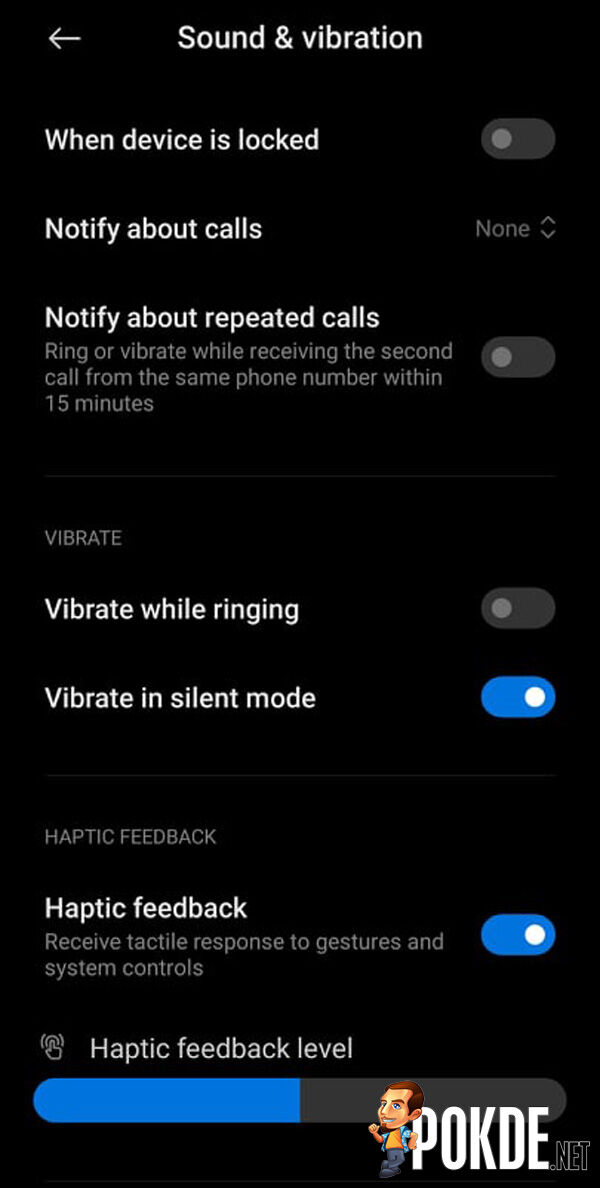
Aside from the settings that we’ve mentioned earlier, there are more things that you can do to save on battery. One of them is by turning off vibrations on each tap that you make on your device. You can also turn off the Always-On-Display mode, should you happen to have it enabled as well. Another thing that you can do is simply lower down your screen brightness, which will reduce power consumption while the screen is on.


As you’d imagine, these tweaks to your setting will also affect your smartphone user experience. Our suggestion for you would be to test and change those that don’t impact you that much because at the end of the day, you’d want to experience the best out of your device. Should you prioritize your battery life however, feel free to follow the tips and experiment a little.
What do you think about the tips on saving your smartphone’s battery life? Do you have one in mind that we didn’t include here? Let us know in the comments below if you have any. For more on the latest tech and gaming news plus reviews, stay tuned to Pokde.net.
Need some help making sure your devices are clean? Click right here for tips on that.