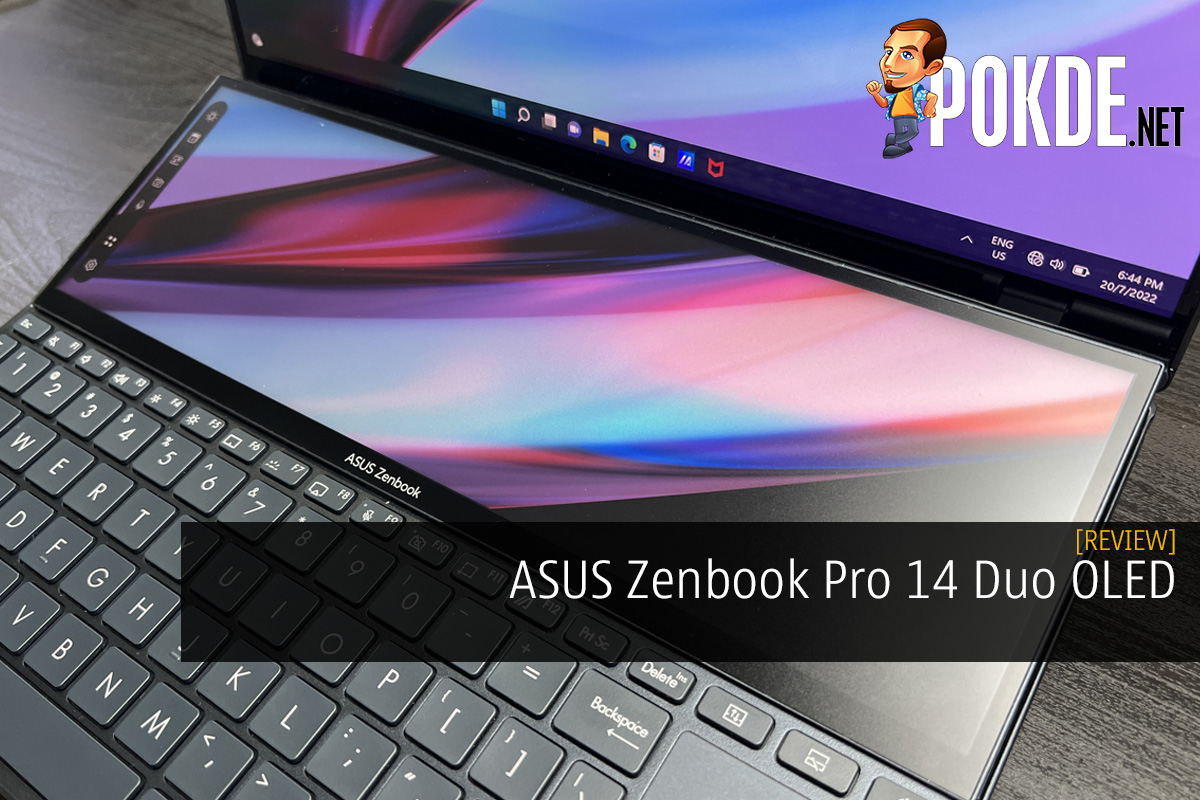
ASUS Zenbook Pro 14 Duo OLED Review – Superbly Useful Second Screen
-
Appearance - 8/10
8/10
-
Efficiency - 6/10
6/10
-
Features - 8.5/10
8.5/10
-
Materials - 8.5/10
8.5/10
-
Performance - 8.5/10
8.5/10
-
Portability - 8/10
8/10
-
User Experience - 8/10
8/10
-
Value - 7.5/10
7.5/10
Summary
The ASUS Zenbook Pro 14 Duo OLED is a great laptop for productivity, especially for the creative folk, and works great for gaming as well.
Overall
7.9/10Pros
+ Solid build quality
+ Great CPU and GPU combo with no thermal throttling
+ AAS Ultra improves audio and thermals
+ Excellent main OLED display
+ ScreenPad Plus is a blessing
+ Touchscreen support for both displays with ASUS Pen 2.0 included
+ Good array of connectivity options
Cons
– USB-A port position is awkward for wired mouse
– No USB-C charger included
– Keyboard and trackpad position can be uncomfortable to use
– ErgoLift stands could use improvement, especially material
– Battery life could be better
Unboxing the ASUS Zenbook Pro 14 Duo OLED
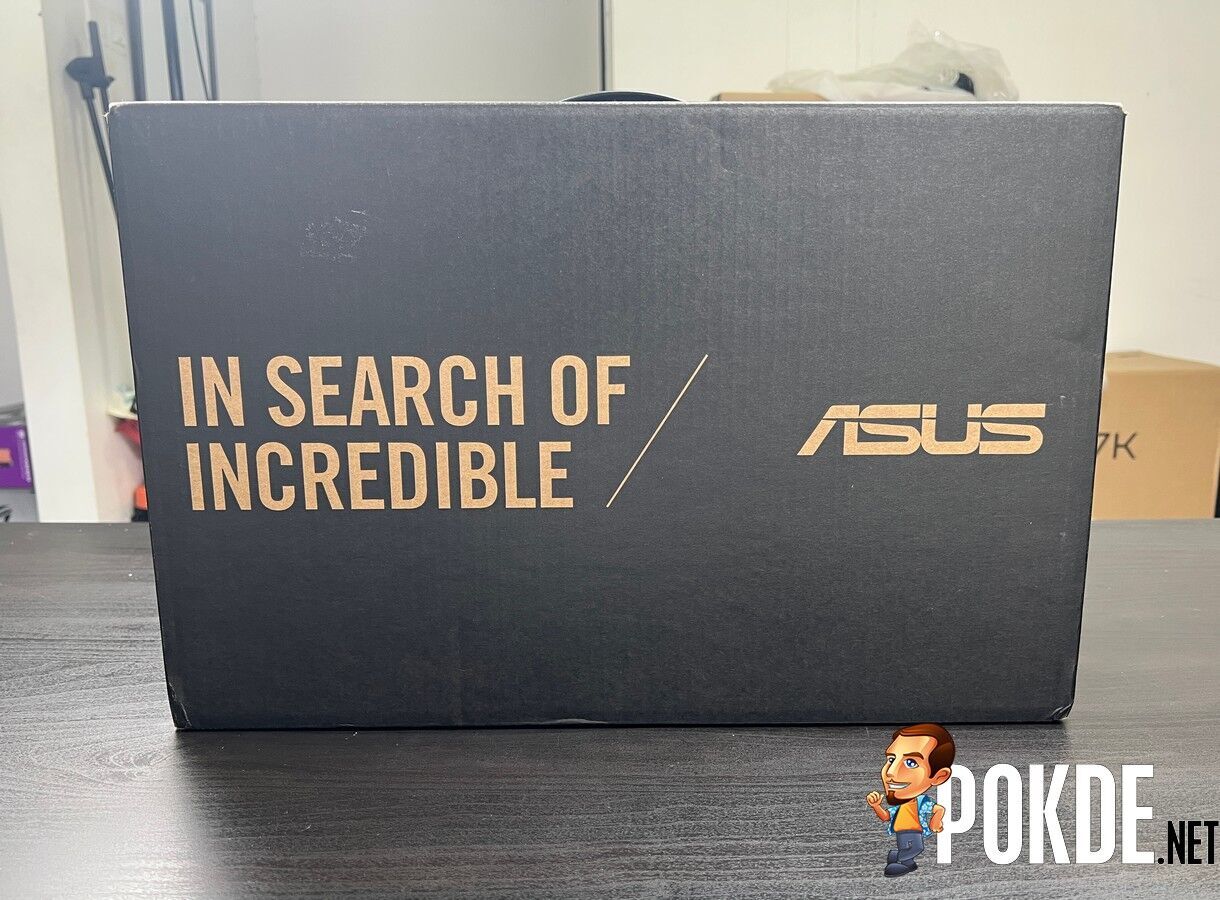
Let’s kick off the ASUS Zenbook Pro 14 Duo OLED review with the unboxing. The box looks like your standard issue Zenbook packaging but it’s interesting to see the rear lift up as you open to reveal the laptop, mimicking the effects of the Ergolift / AAS Ultra hinge. Inside the box, you can find the following items:
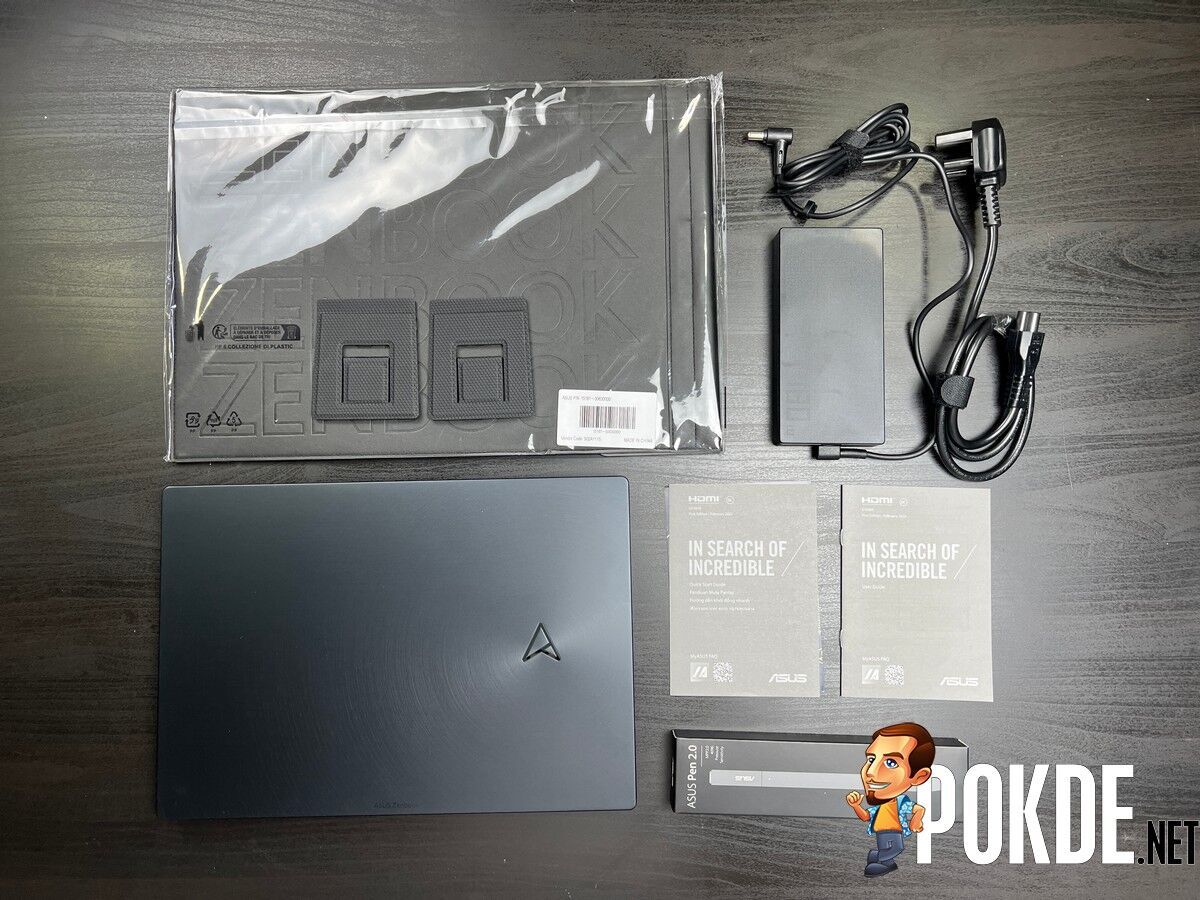
- ASUS Pen 2.0
- ASUS ErgoLift stands
- Carrying case
- User guide
- Warranty card
- 180W charging brick
- Power cable
- The ASUS Zenbook Pro 16X OLED itself
Specifications
| CPU | Intel Core i7-12700H, 14C(6P+8E)/20T @ 2.3GHz (up to 4.7GHz Turbo), 45W TDP, Intel 7 |
| RAM | 16GB LPDDR5-4800 (on-board) |
| Graphics | NVIDIA GeForce RTX 3050 Ti |
| Storage | 512GB PCIe 4.0 x4 NVMe SSD (Samsung PM981A) |
| Connectivity | Wireless Intel Wi-Fi 6E AX211 (WiFi 6E + Bluetooth 5.2) Wired 2 x Thunderbolt 4, 40Gbps, supports DisplayPort Alt Mode, USB-PD 1 x USB 3.2 Gen 2 (Type-A), 10Gbps 1 x microSD card reader 1 x 3.5mm audio jack |
| Display | 14″ (2880 x 1800) 16:10 120Hz OLED touchscreen display 550 nits, 100% DCI-P3, Pantone Validated, VESA Display HDR True Black 550 12.7″ (2880 x 864) 120Hz touchscreen ScreenPad Plus display 500 nits, 100% DCI-P3, Pantone Validated 2 x DisplayPort Alt Mode over Thunderbolt 4 1 x HDMI 2.1 |
| Audio | Stereo speakers, tuned by harman/kardon (premium) Array microphone, Alexa, Cortana voice-recognition support AI Noise-Cancelling Mic + AI Noise-Cancelling Speaker |
| Power | 76WHrs 6-cell Li-polymer battery 180W power adapter |
| Dimensions | 323.5 x 224.7 x 17.9 mm |
| Weight | 1.75kg |
Performance
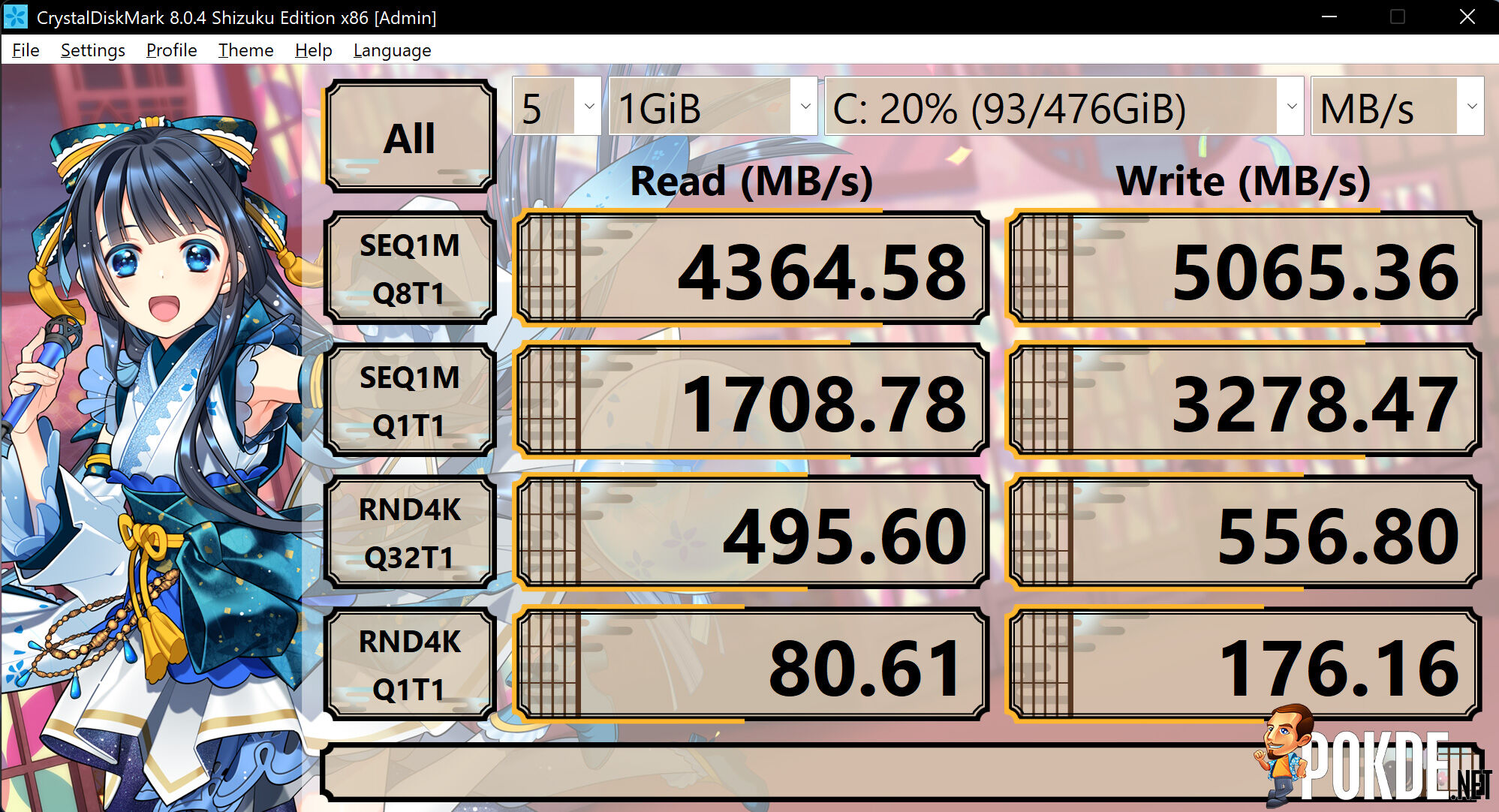
Starting off with CrystalDiskMark, you can see that the speeds on the ASUS Zenbook Pro 14 Duo OLED is rather high up there, ensuring fast boot ups and loading speed if any. In case you’re wondering, it’s the 512GB Samsung PM981A.
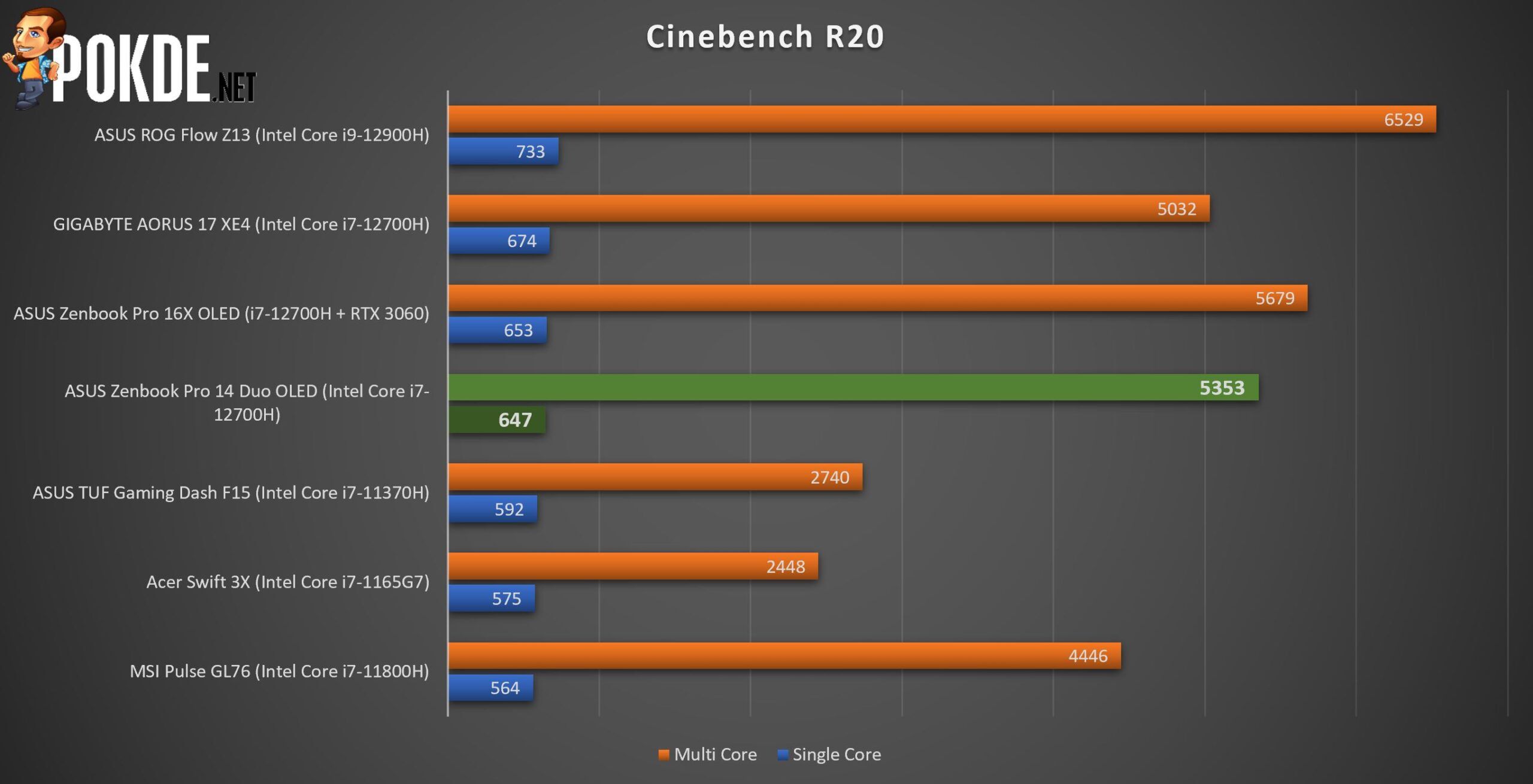
Moving on to Cinebench R20, the ASUS Zenbook Pro 14 Duo OLED performed pretty well with the Intel Core i7-12700H. It uses DDR5 RAM so if you want anything higher than this, either go for a better CPU or upgrade to a high clock speed for the RAM. I would personally stick to this out of thermal concerns as this appears to be the sweet spot.
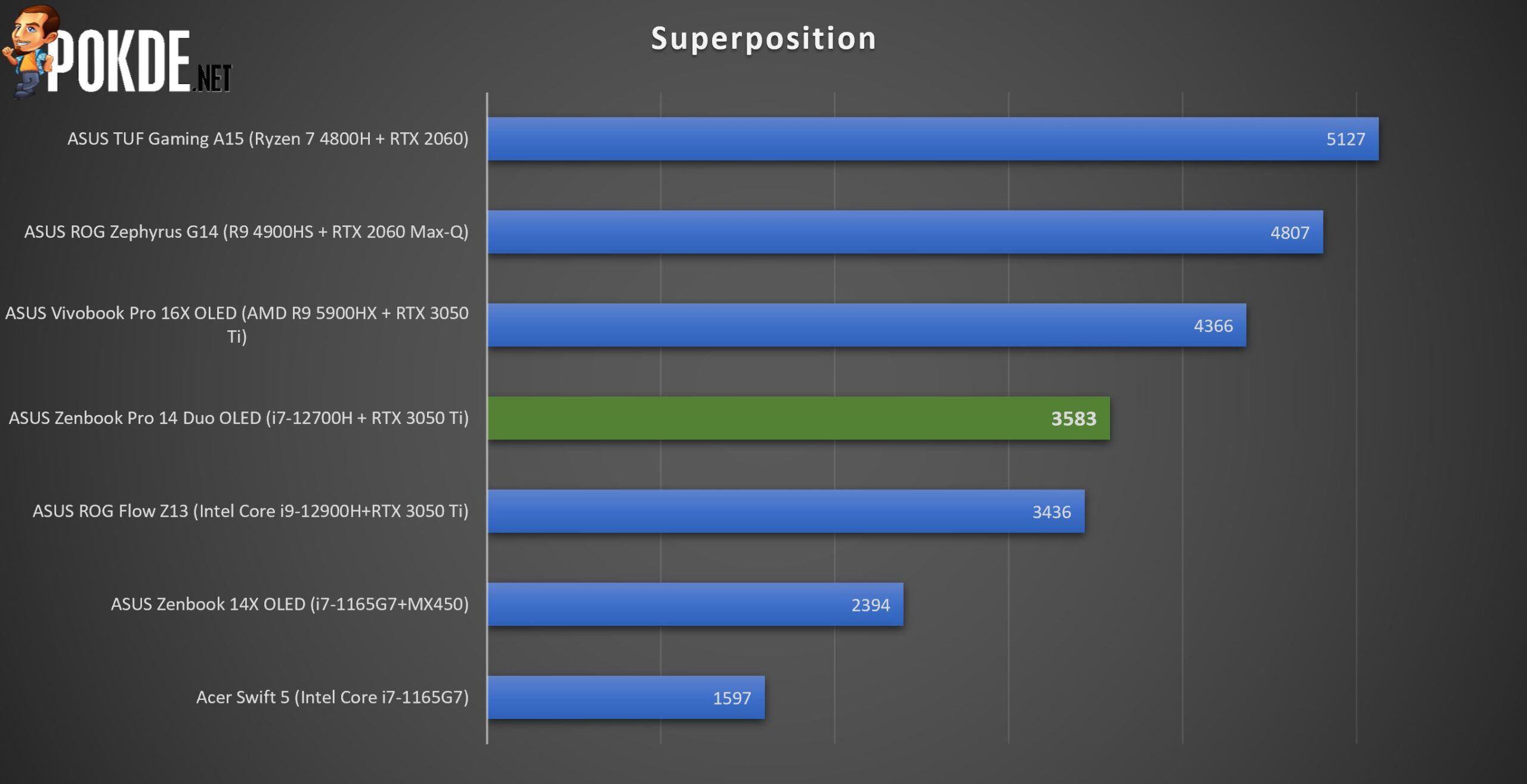
As for Unigine SuperPosition in the 4K Optimized benchmark, the ASUS Zenbook Pro 14 Duo OLED doesn’t seem to fare well. This is because it’s a GPU-intensive benchmark and it only uses an RTX 3050 Ti. It’s still reasonable given what you’re getting.
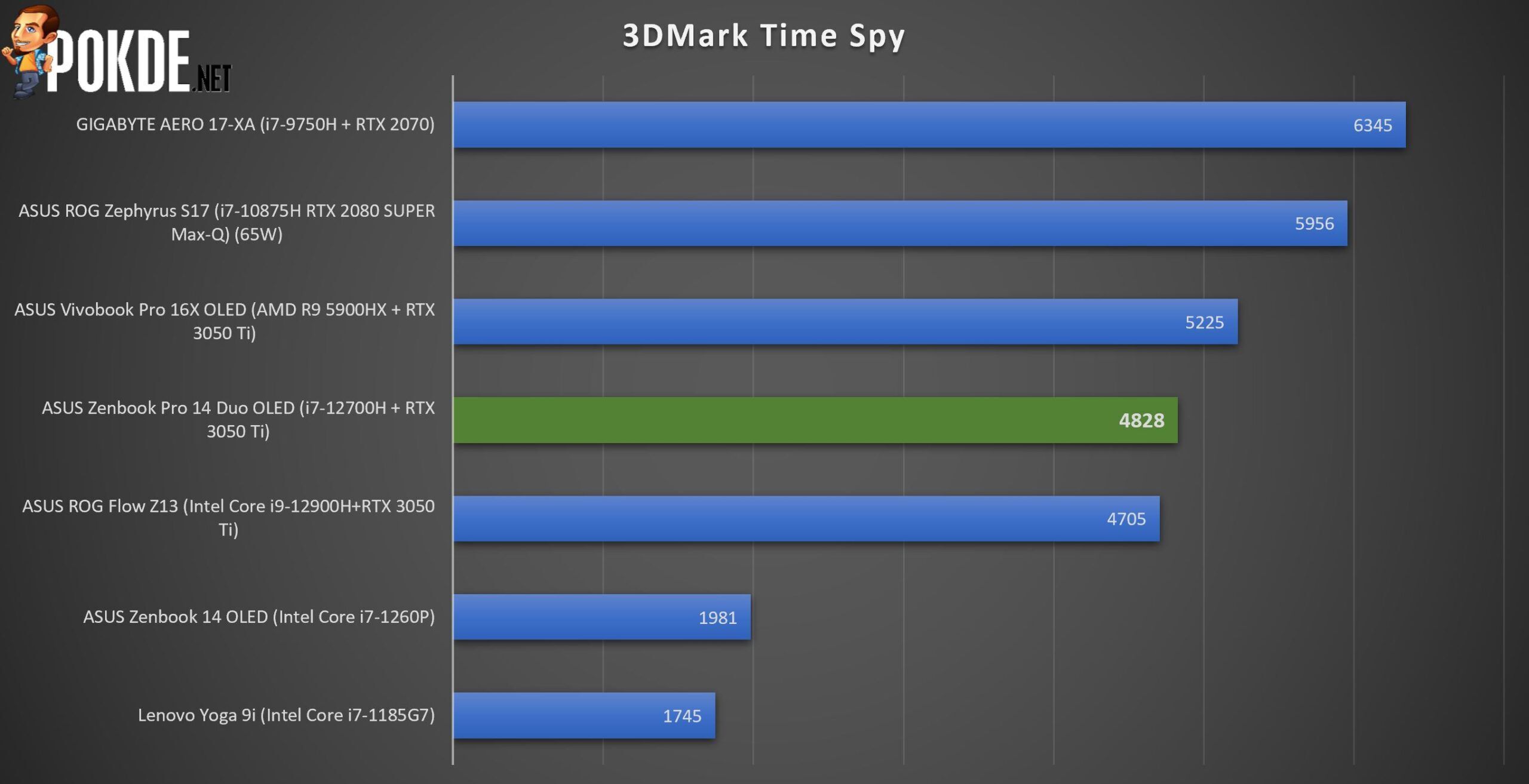
A similar pattern can be seen in 3DMark Time Spy, with the ones that are noticeably above it typically having a stronger GPU. It’s at least showing that it’s capable of doing some light-to-medium gaming with no issues.
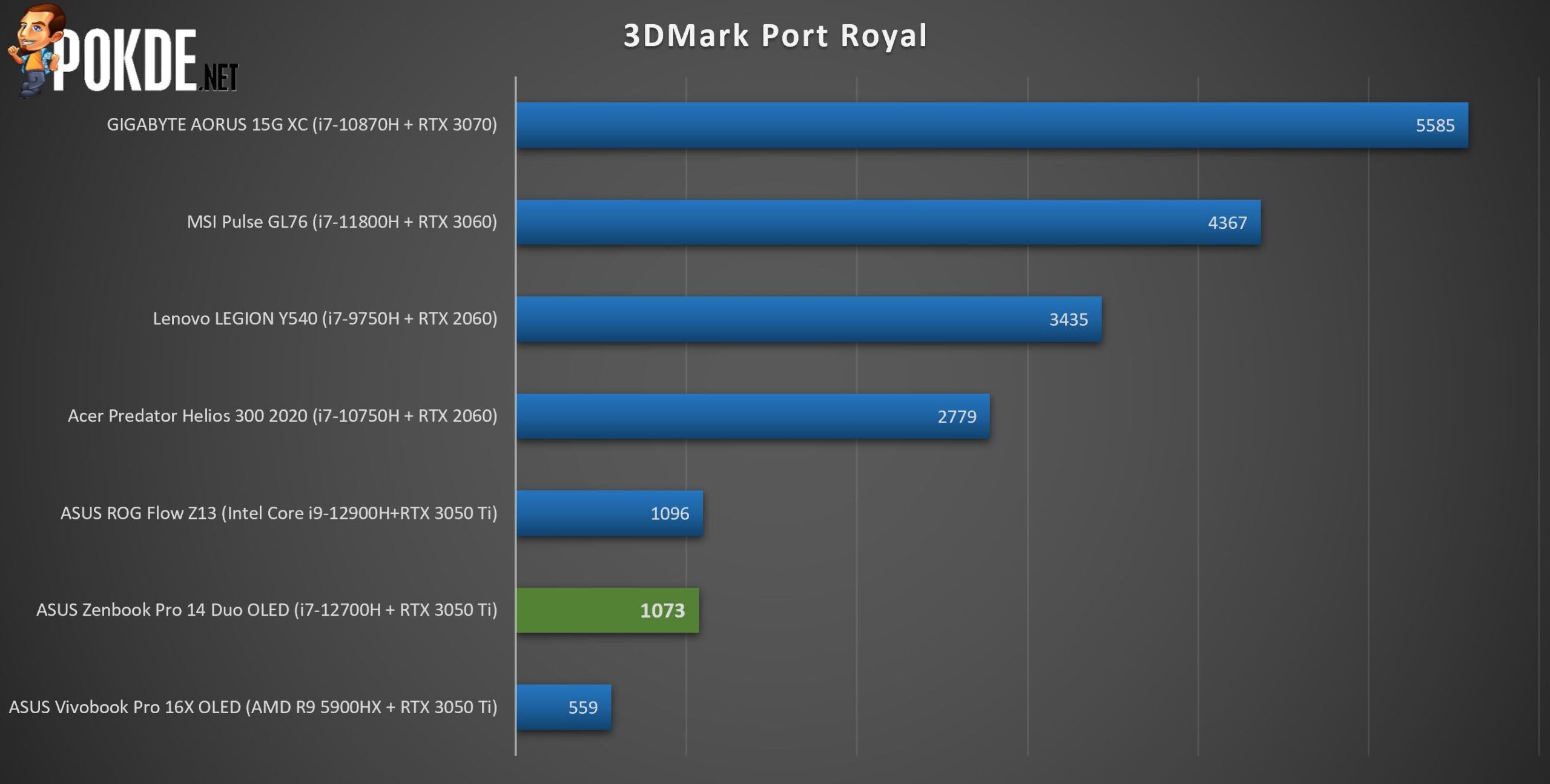
As for 3DMark Port Royal for ray tracing, the score is abysmal to say the least. Sure, the RTX 3050 Ti can do ray tracing but realistically, even an RTX 3070 would struggle with it in some games unless there is an option DLSS. In other words, just don’t enable ray tracing if you can because the performance will suffer a lot.
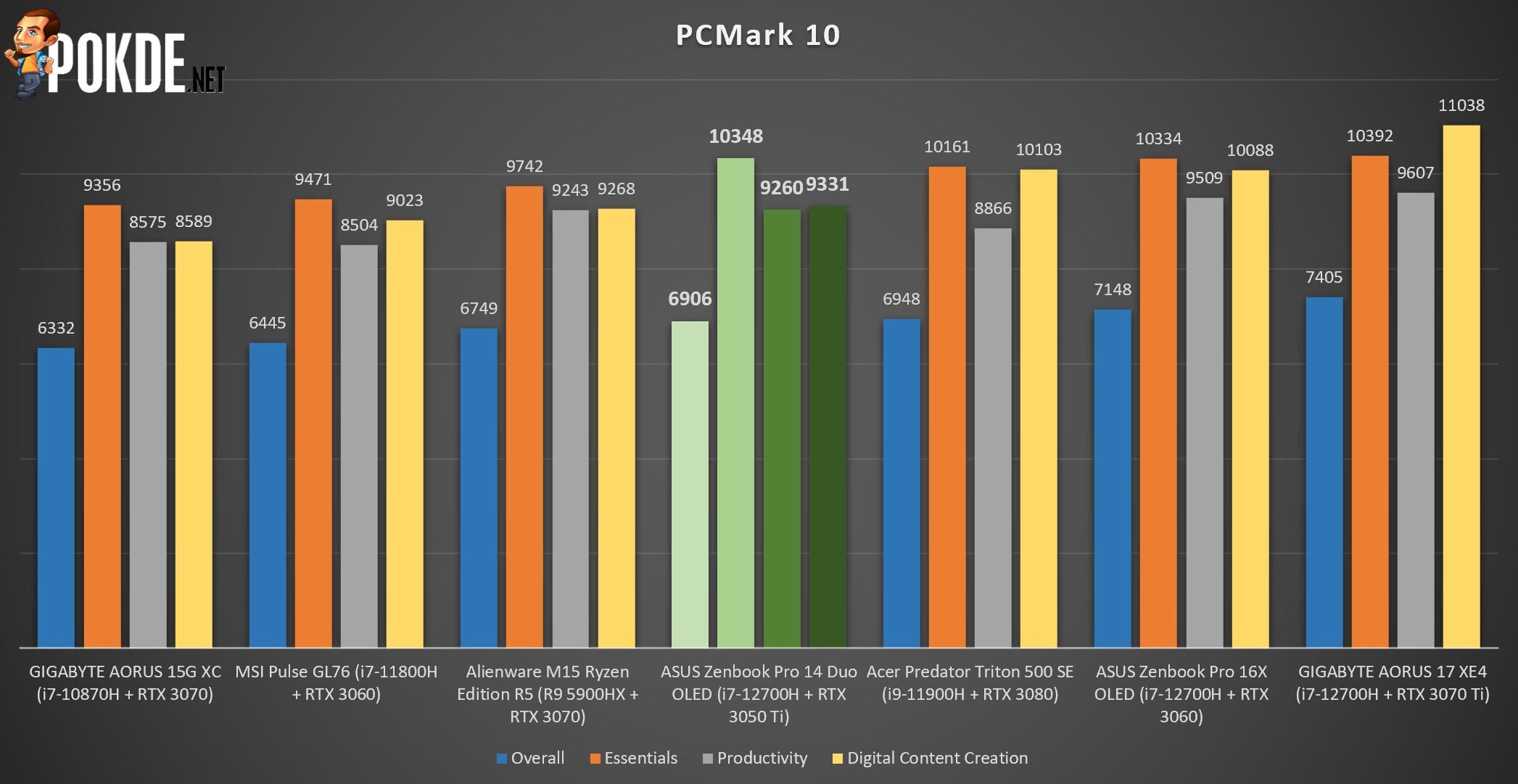
Lastly on PCMark 10, the ASUS Zenbook Pro 14 Duo OLED had an overall strong score, with even digital content creation almost breaking the 10,000 mark. This points toward this laptop being a well-rounded machine for all-purposes, like a jack of all trades.


As usual with productivity laptops, the battery life is seen as its strongest point but in the case of the ASUS Zenbook Pro 14 Duo OLED, that isn’t the case. In PCMark’s Modern Office endurance test, it only managed to last 5 hours and 59 minutes (299 minutes). Given the dual-screen nature and the firepower it’s packing, it’s understandable but it would be nice to see big improvements in this department.
The Good
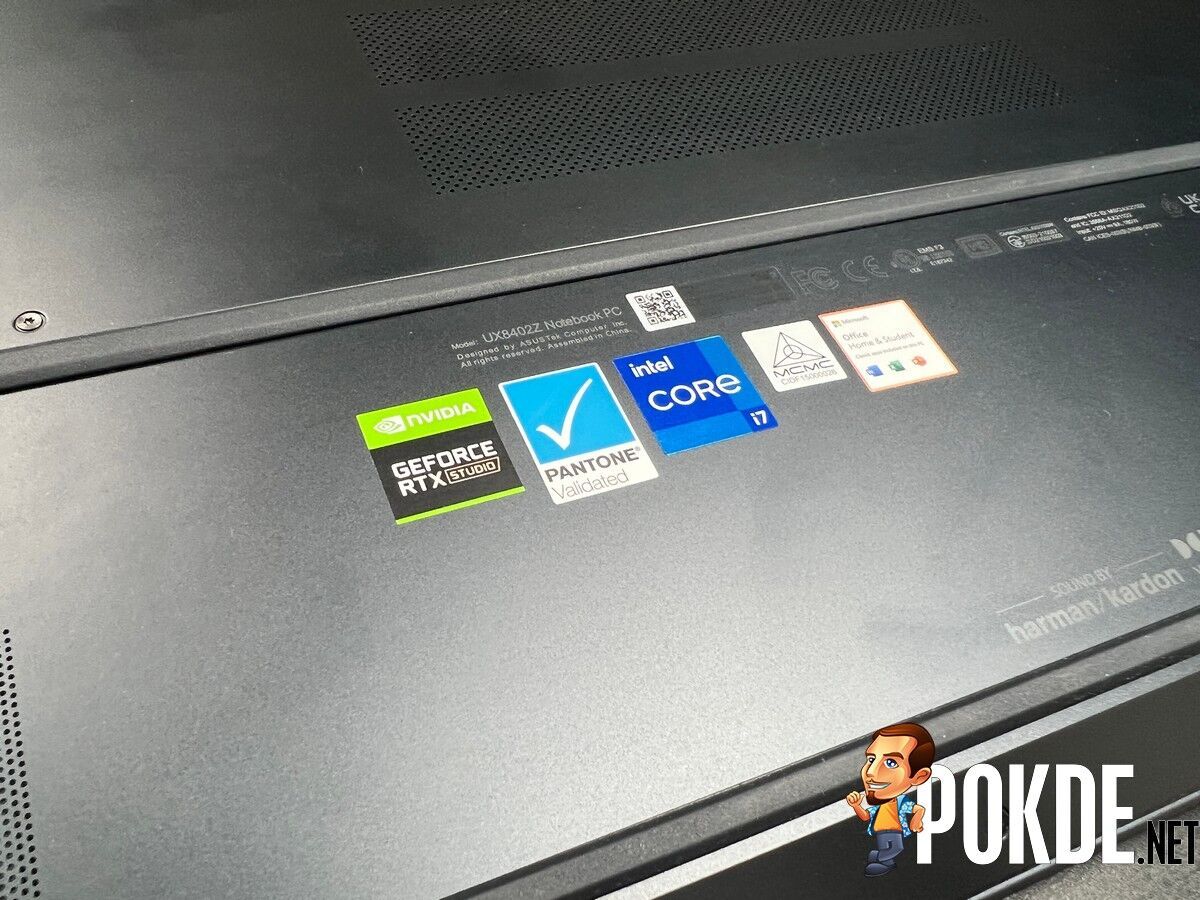
The first thing I have to mention about the ASUS Zenbook Pro 14 Duo OLED is its build quality. Thanks to its magnesium-aluminum build, you get a pretty solid laptop that is still relatively light. From the way the second screen is held up to the feel of the laptop, it inspires confidence. It may seem heavy at first but that’s mostly because of the weight being concentrated in certain areas.
Next up, the combination of Intel Core i7-12700H and NVIDIA GeForce RTX 3050 Ti makes for a powerful machine. The CPU has great performance with no thermal throttling, as seen in our benchmarks, and it’s further emphasized with the use of DDR5 RAM. The GPU adds that nice little touch that would make it great for creative folks as well as those who enjoy light to medium gaming.
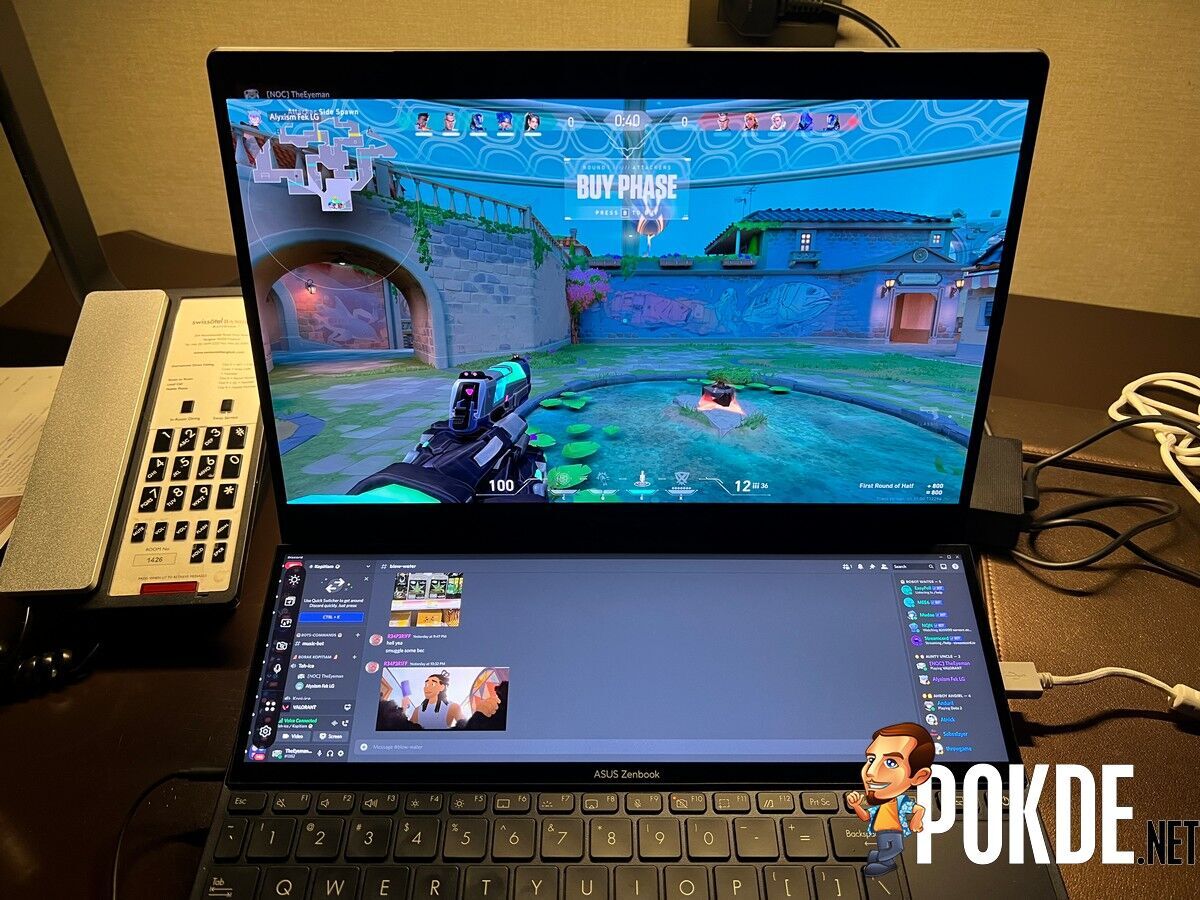
Then we have the star of the show, the display. The resolution may seem a little odd at 2880 x 1800, bring it closer to 4K than 1440p but you get great colours and contrast thanks to the nature of OLED panels giving the truest blacks possible. Furthermore, having 120Hz refresh rate is an icing to the cake for an overall smoother visual experience. Brightness is certainly adequate, and creatives will certainly appreciate the 100% DCI-P3 colour space and Pantone Validated display.
Of course, the second screen plays a pivotal role as well. Known as the ScreenPad Plus, it’s more like half a screen than a full-blown second display but don’t underestimate it as it’s really useful. With a 12° lift for better viewing, ScreenXpert 3, and performance that is essentially on par with the main display, it doesn’t feel half-baked or subpar by any means. There’s even a launcher with dedicated apps to make your life easier.
At any point, you can switch between the main display and the ScreenPad Plus with the press of a button, which is helpful in case you need to see more of a particular window without the hassle of dragging things around. Both displays have touchscreen support, complete with ASUS Pen 2.0 support but personally for me, I’m happy using it without it. If you’re a creative person who likes to doodle or write things manually, then you’d have more use for it for sure.
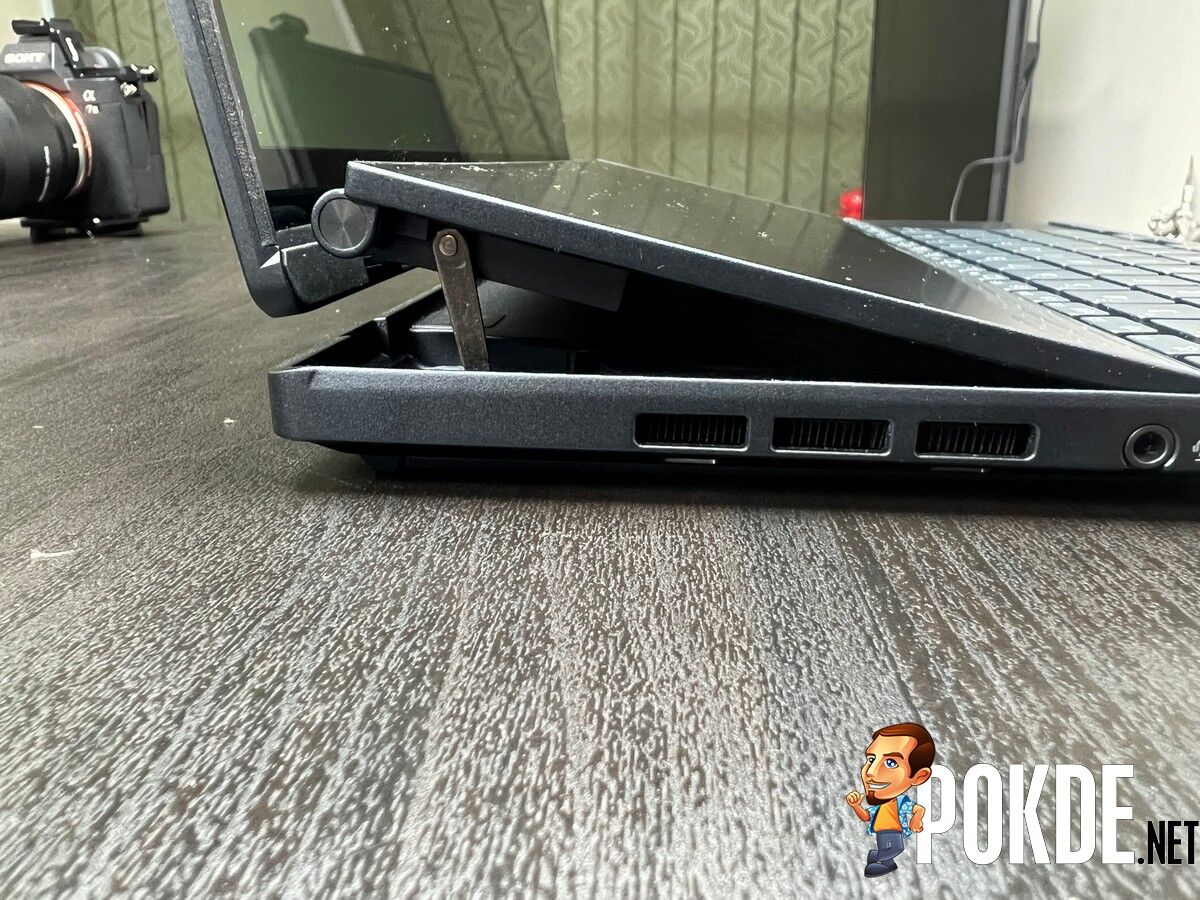
The ASUS Zenbook Pro 14 Duo OLED has a good connectivity options. After all, you’re getting two Thunderbolt 4 ports, a USB 3.2 Gen 2 Type-A port, a microSD card reader, a combo audio jack, and an HDMI 2.1 port. As for wireless, you get Wi-Fi 6E and Bluetooth 5.2. It’s more than you can ask for but in case you do need more, you can always get a Thunderbolt dock to further expand its capabilities.
One major thing which most people would end up overlooking is the AAS Ultra mechanism. That added lift greatly benefits two things; thermals and audio. In the case of audio, it’s some of the clearest, loudest ones around with a decent soundstage and a slight hint of bass. It’s actually enjoyable to watch movies on this with the built-in speakers.
If you prefer a more traditional laptop experience, check out our ASUS Zenbook Pro 16X OLED review by clicking right here.
The Bad
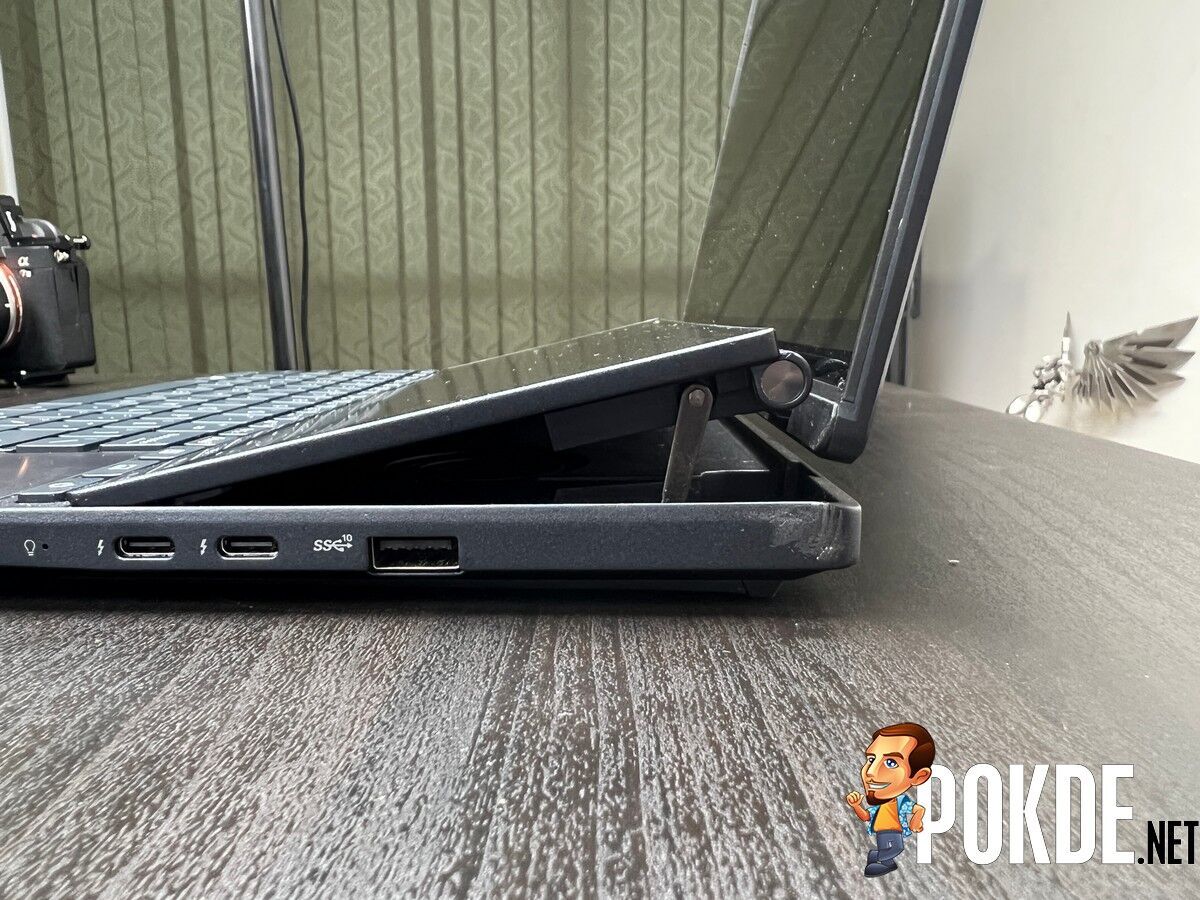
Just like any other laptop, the ASUS Zenbook Pro 14 Duo OLED has its drawbacks. For starters, the USB-A port is at a weird position. It’s on the right side and more likely than not, users will be plugging in their mouse from here. As most people would use the mouse with their right hand, the cable will end up on the same side, which can cause a bit of a mess.
Secondly, the use of a proprietary charging method as opposed to USB-C is a bit of a disappointment. Understandably, this is the easiest method to get enough power to juice up the laptop, but having a secondary USB-C charger like on the Zephyrus G14 would have been a blessing. Hopefully, we’ll see a high-powered USB-C charger for this in future iterations.
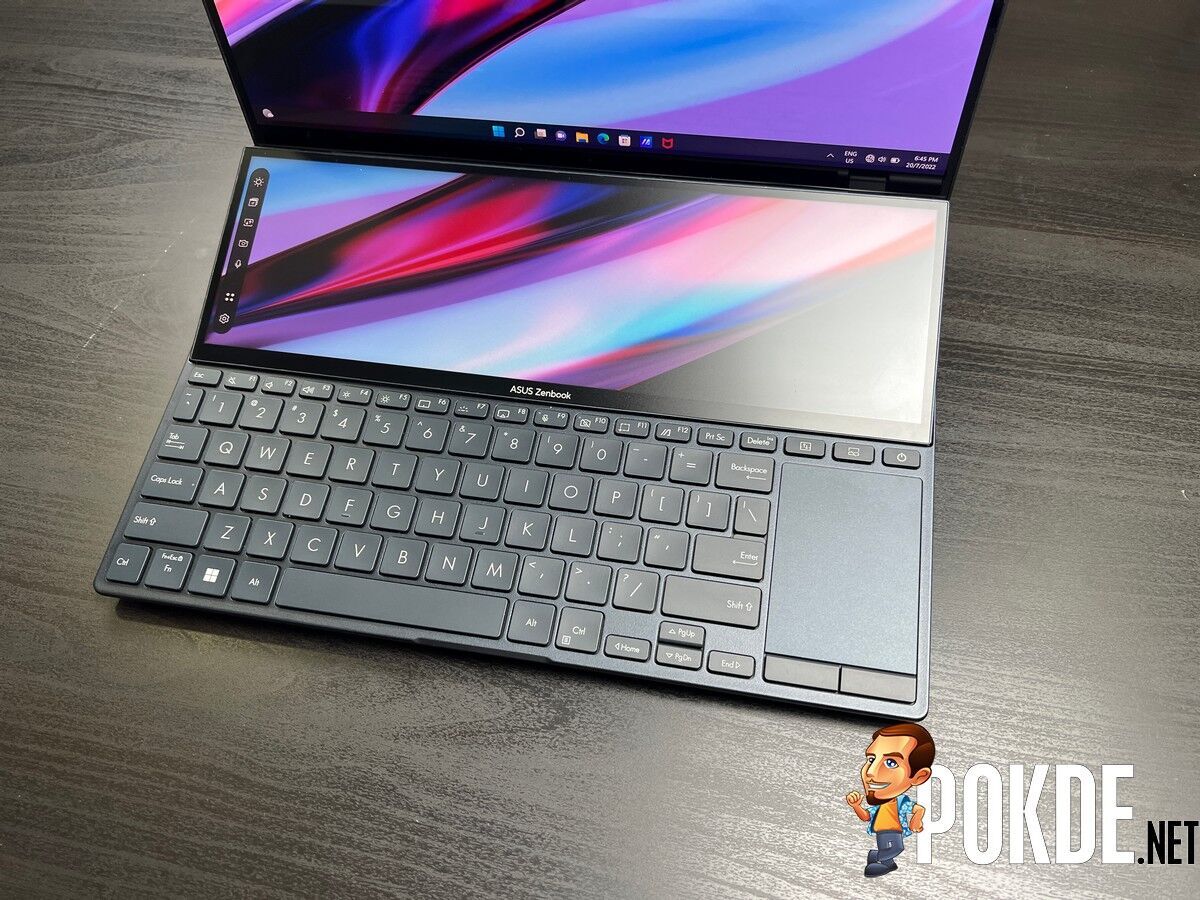
Due to having the second screen, the positioning for the keyboard and trackpad makes it a bit awkward to use. Granted, most people wouldn’t bother using the latter but with the keyboard as low profile as it is, it can be a bit uncomfortable to use. I would suggest getting a wrist rest for an overall better experience.
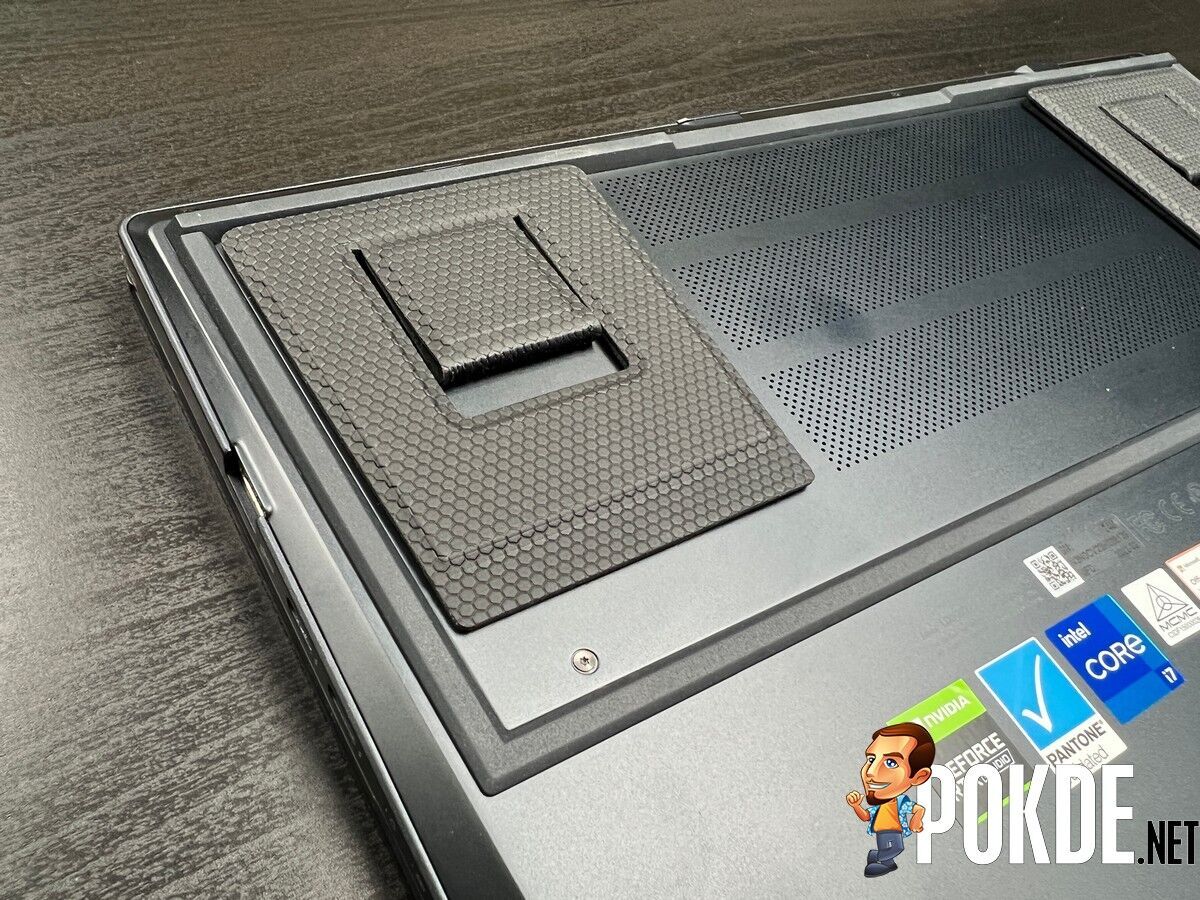
Lastly, the including ErgoLift stands could use improvement in terms of build quality. The way that it is now, it’s still relatively easy for it to still be laid flat instead of how it’s intended to be. Perhaps being made of metal or a hard material with an audible click when it’s positioned to stand would be far less cumbersome, assuming a similar mechanism being built-in is impossible.
ASUS Zenbook Pro 14 Duo OLED Verdict

The ASUS Zenbook Pro 14 Duo OLED is a great laptop for productivity, especially for the creative folk, and works great for gaming as well. The battery life could be better but at RM8,999, you do get a lot for what you’re paying, especially since most of the drawbacks aren’t a dealbreaker.
At the end of our ASUS Zenbook Pro 14 Duo OLED review, I award this laptop with our Silver Pokdeward.

Big thanks to ASUS Malaysia for sending us this laptop for the purpose of this review.