Razer Kitsune Review – Compact With A Steep Learning Curve
-
Appearance - 7.5/10
7.5/10
-
Features - 8/10
8/10
-
Materials - 8.5/10
8.5/10
-
Performance - 8/10
8/10
-
Portability - 9/10
9/10
-
User Experience - 8/10
8/10
-
Value - 7/10
7/10
Summary
The Razer Kitsune is an excellent alternative to arcade sticks, and has all the makings of a great tournament-centric controller that will surely be popular with plenty of competitive gamers. Just remember that you need to put in the effort to learn it and it’s not necessarily better than an arcade stick as it boils down to preference and playstyle.
Overall
8/10Pros
+ The first officially licensed PS5 controller of its kind
+ Optical linear switches are perfect for this
+ Superbly compact with premium build
+ RGB lighting adds a nice touch
+ Tournament legal
+ Plug and play, complete with PS5 support
Cons
– No RGB lighting on any of the buttons
– No audio input / output options
– No software to customize button layout / SOCD functions
– USB port recessed
– Leverless controllers have a steep learning curve
– Pricey
Unboxing the Razer Kitsune

Kicking off the Razer Kitsune review with the unboxing, this peripheral comes in white and blue packaging instead of their standard black and green color scheme as this is intended for the PS5. Compared to the old Razer Panthera / Panthera Evo, this box is far smaller, which should give you an indication of how much smaller this is compared to a tradition arcade stick. Inside the box, we found the following items:
[button type=”link” size=”btn-sm” target=”blank” variation=”btn-success” block=”btn-block” link=”https://shope.ee/5V7Y9AGnDR”]Click here to purchase the Razer Kitsune (via Shopee)[/button]

- USB-C cable
- Documentations
- The Razer Kitsune itself
Specifications
| Category | Details |
|---|---|
| Connnectivity | USB Type C to USB Type A cable |
| Cable lock and lock switch | |
| Platform | PS5 and PC (Windows) |
| RGB | Yes, Razer Chroma |
| Mechanical Action Buttons | Precise Quad Movement Button Layout |
| Razer™ Low-Profile Linear Optical Switches | |
| Multifunction Buttons | None |
| Quick Control Panel | None |
| Interchangeable D-pad | None |
| Interchangeable Thumbsticks | None |
| Trigger Stops | None |
| Mic Input | None |
| Audio Output | None |
| Software | None |
| Artwork Customizations | Removable aluminum top plate |
| Dimensions | Length: 296 mm / 11.66” |
| Width: 210 mm / 8.27” | |
| Height: 19.2 mm / 0.75” | |
| Weight | 800 g |
[button type=”link” size=”btn-sm” target=”blank” variation=”btn-success” block=”btn-block” link=”https://shope.ee/5V7Y9AGnDR”]Click here to purchase the Razer Kitsune (via Shopee)[/button]
The Good
There are a number of good reasons to consider getting the Razer Kitsune. For starters, this is the first PS5 officially licensed controller of its kind. If you’re into fighting games, I’m sure you’re aware of specialized controllers for it like the arcade stick but these leverless controllers have been all the buzz as of late. Unfortunately, your options for these are limited as most of your options are from custom builders and it might not come with PS5 support. This is not only a safe bet if you’re looking for this type of controller, it’s also much easier to purchase given Razer’s global market presence.
Next up, the move to a optical linear switches makes more sense for this type controller. After all, linear switches typically allow for smoother, faster actuations compared to its tactile and clicky counterparts, and the optical nature of the switches mean even faster actuations, removed switch bounce, and a generally longer lifespan compared to mechanical switches. The fact that it’s not noisy makes it that much better to use, but that might just be a personal preference. While I’m at it, the use of buttons will certainly make your gameplay more precise and accurate compared to traditional arcade sticks, but more on that later.

Arguably the biggest reason anyone would want to make the jump to these leverless controllers is how compact it is. We’re looking at dimensions of 296 x 210 x 19.2 mm with a weight of 800g as opposed to the Razer Panthera Evo’s 385 x 260 x 121 mm with a weight of 2.1kg. It weighs less than half of the latter and is a whole lot smaller, and this is considering that the Evo has already slimmed down noticeably compared to the original Panthera. They managed to do all of that and still keep a premium build as it feels very solidly made. This is far easier to bring around compared to arcade sticks as you can fit it into any bags, and this is indeed tournament legal, complete with a built-in lock switch for it.

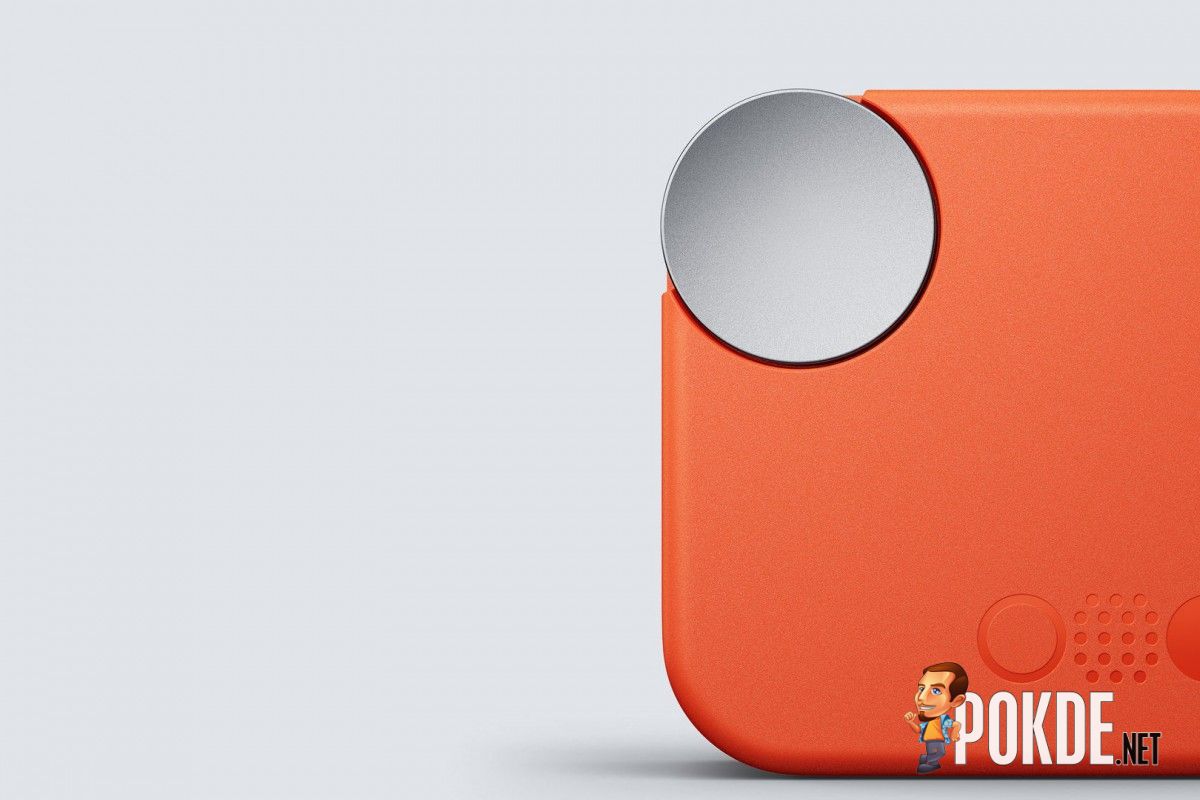
While this is a minor thing, I feel like it’s worth pointing out as it breathes life into the Razer Kitsune’s design; RGB lighting. When you’ve plugged it into a PS5 or a PC, the sides will light up in all of its glorious RGB glory. It’s nothing major and it could certainly improve in terms of brightness but without it, the Razer Kitsune will end up looking like a very bland product if you don’t plan on modifying it, which wouldn’t bode well as a gaming-centric product. If you really want to make it stand out, you can remove the aluminum top plate and insert your own custom artwork, but not everyone will go out of their way for it.


Lastly, getting the Razer Kitsune up and running is simple as it’s plug and play. All you need to do is plug it into your PS5 or PC and you’re good to go, no Razer Synapse or other software needed. If you wanted one without all the fuss and complications, look no further than this.
If you’re looking for an arcade stick instead, check out our Razer Panthera Evo review by clicking right here.
The Bad

As good as it is, the Razer Kitsune does have its share of drawbacks. For starters, while I praised the RGB lighting on it, I feel like Razer could do better with it. They could have made all the buttons light up in RGB lighting to make it really stand out but as it is, the buttons themselves are black with no lighting, making it feel rather empty. Perhaps adding RGB lighting would add another mechanism that could potentially fail down the road but I still feel like it would be worth it for that added eye candy factor. Besides, like mechanical keyboards, it’s not like having the LED dying out lead to the switch itself not working.
Apart from that, it also has no audio options whatsoever on it. This means that you can’t just plug in your favorite pair of earphones / headphones and get audio directly channeled through it. There are no input and output options so if you’re going to tournaments with this, you’ll have to rely on the speakers or other means of getting audio. Perhaps they omitted it to allow for a much slimmer profile but making it slightly thicker for this functionality would make it more viable for tournament-goers. Maybe a future successor could add this feature.

While the fact that the Razer Kitsune being plug and play is a good thing, it’s worth pointing out that it lacks any form of software to customize the button layout / SOCD functions. I was hoping it would be a similar situation with recent Razer gaming mice as software use is optional to get it working but you can use it for customizations and all the settings / profiles will be saved in the onboard memory but unfortunately, we don’t get any of that here.

It’s worth pointing out that the USB-C port of the Razer Kitsune is deeply recessed into the body. This makes the cable semi-proprietary as not all USB-C cables, especially the ones with thicker heads, can fit. On the plus side, Razer is known to provide quality cables with their peripherals and this is no exception. However, you will need to take extra care of it (and definitely not lose it) to save yourself the headache of finding another that can fit. I do like the locking mechanism for the cable as it ensures that the cable is securely fitted inside, so I’m theorizing that it is an intentional design choice.

Lastly, and this is very important for me to note, is to not simply jump on the hypetrain for leverless controllers. Yes, it’s certainly more accurate than an arcade stick but you will need to spend a lot of time getting used to it as it works very differently, particularly the movement buttons. It’s not a universal solution with guaranteed improvements for every player, and I definitely felt frustration as I don’t have the same movement speed from the arcade stick that I have gotten used to from years of playing. It has a steep learning curve and while I do still have room for improvements, it feels a whole lot better to play with it now.
With that being said however, it certainly feels different from playing with arcade sticks so even if you have become immensely better at it, it’s not necessarily a better option. After all, the reason it performs more accurately is because you have to be more precise with your inputs, which means you would generally put in more effort compared to an arcade stick. Just remember to not pick it up on a whim or with huge expectations of it being better, especially with its asking price of RM1,479.
Razer Kitsune Verdict

The Razer Kitsune is an excellent alternative to arcade sticks, and has all the makings of a great tournament-centric controller that will surely be popular with plenty of competitive gamers. Just remember that you need to put in the effort to learn it and it’s not necessarily better than an arcade stick as it boils down to preference and playstyle.
At the end of our Razer Kitsune review, I award this leverless controller with our Silver Pokdeward.

[button type=”link” size=”btn-sm” target=”blank” variation=”btn-success” block=”btn-block” link=”https://shope.ee/5V7Y9AGnDR”]Click here to purchase the Razer Kitsune (via Shopee)[/button]
Big thanks to Razer Asia Pacific for sending us this arcade controller for the purpose of this review.