



Chrome’s Memory Saver Feature Aims to Solve The RAM Hogging Problem
Chrome’s Memory Saver Feature Aims to Solve The RAM Hogging Problem
Google’s web browser has gained notoriety for its insatiable appetite of your system’s memory, and now the developers are offering ways to fix that.

If you’re one of those who remembered the early days of Google Chrome, you might’ve remembered the whole “Chrome Fast” ad campaign which has very well ingrained in most people’s minds. Now that comes at a cost – hogging your PC’s resources while leaving very little for your other tasks to work with. Low-end PC users will especially feel the effect, and many has switch to other Chromium-based browsers (i.e. Edge) for this reason.
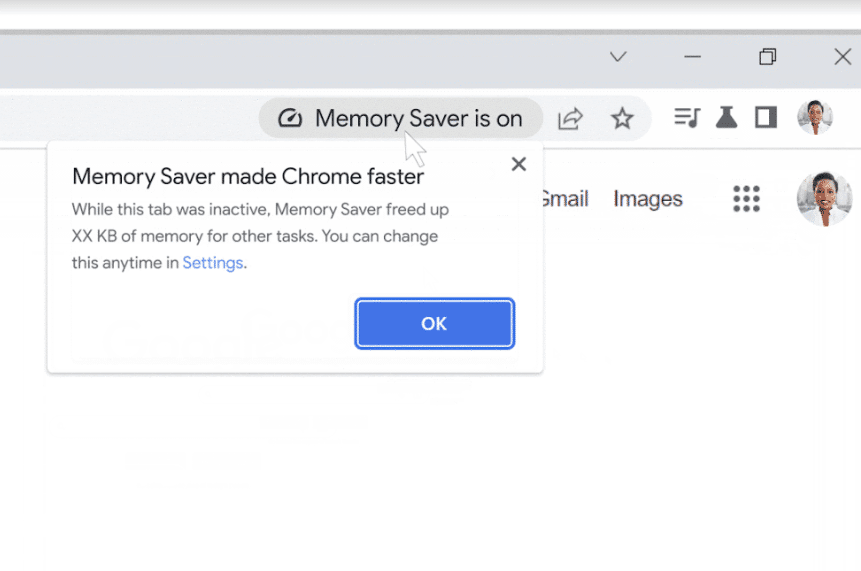
Google certainly took notice, and is testing a featured called “Memory Saver” in the development Canary channel in Windows, macOS and ChromeOS. What it does is similar to Microsoft Edge’s Sleeping Tabs – which deactivates unused tabs after a certain period to free memory from occupying the space until user re-access it by switching to that tab. This is currently an optional feature, and Google claims to save 40% less memory with the feature on.
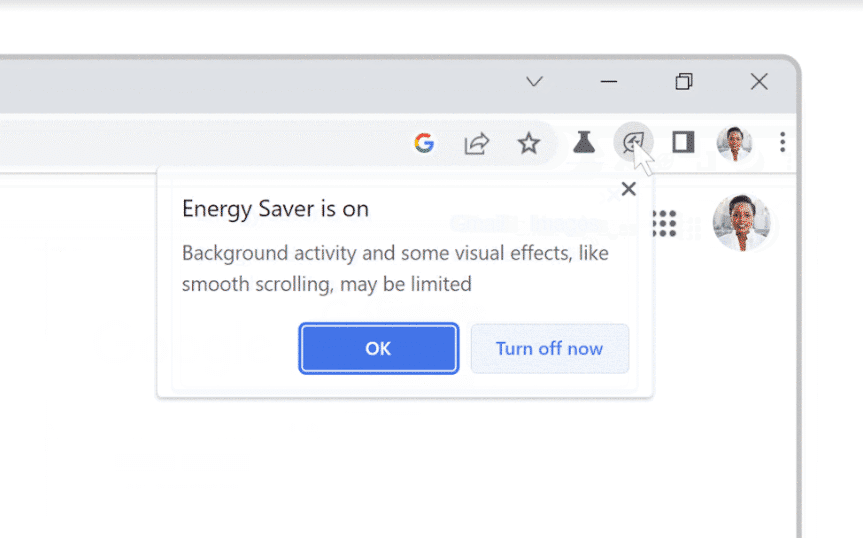
Another feature, Energy Saver, is primarily designed for laptops – which automatically activates once the laptop’s battery level reaches 20% or lower. In this mode, Chrome will save power by “limiting background activity and visual effects for websites with animations and videos”, according to Google. Like the Memory Saver, you can turn this feature off should you need to.


Both features are set to roll out in stable release in the upcoming weeks for Windows, macOS and ChromeOS.
Source: Ars Technica / Google
Pokdepinion: For me who always has a habit of closing tabs as soon as I’m done, it’s probably not much to gain but it’s nice for those who open tens if not hundreds of tabs at a time.



![[UPDATED: Statements] Forza Horizon 6 Dev Drops Multi-Millennial Ban Hammer To Cheater Before The Game Has Even Released - 60](https://cdn.pokde.net/wp-content/uploads/2026/05/12022254/fh6leakpermabancover-420x280.jpg "[UPDATED: Statements] Forza Horizon 6 Dev Drops Multi-Millennial Ban Hammer To Cheater Before The Game Has Even Released - 61")


