Product Name: GM27-CQS
Brand: Cooler Master
Offer price: 889
Currency: MYR
-
Appearance - 8/10
8/10
-
Features - 8/10
8/10
-
Materials - 8/10
8/10
-
Performance - 8/10
8/10
-
User Experience (UX) - 8/10
8/10
-
Value - 8.7/10
8.7/10
Summary
The Cooler Master GM27-CQS is a very compelling option if you need a high refresh rate QHD gaming monitor on the cheap, especially if you’re not picky on its color and panel response performance.
Overall
8.1/10Pros
+ Fast QHD VA panel
+ Wide range of features and options
+ Absolute bargain
Cons
– Less-than-ideal brightness uniformity
– Limited HDR
– Overdrive only works with narrow pixel brightness range
Unboxing & Walkaround


Cooler Master is a relatively new entrant in the gaming monitor space, having only launched its first monitor back in 2019 (which was 5 years ago). Since then, its monitor lineup features all sizes and shapes – and today, we’ll be looking at one of its more valued offerings in the form of the GM27-CQS. In this box, you are provided with the following items:
– Quick start guide
– Warranty card
– AC (C13) power cable (Type G, UK/Malaysia)
– DC power supply
– HDMI cable
– DisplayPort cable
– Stand base
– Stand strut
– Cable management bracket
– Cooler Master GM27-CQS main unit


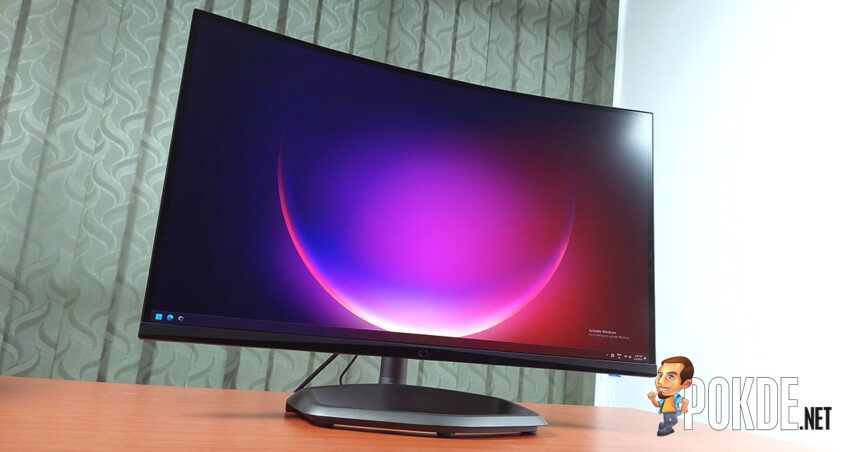
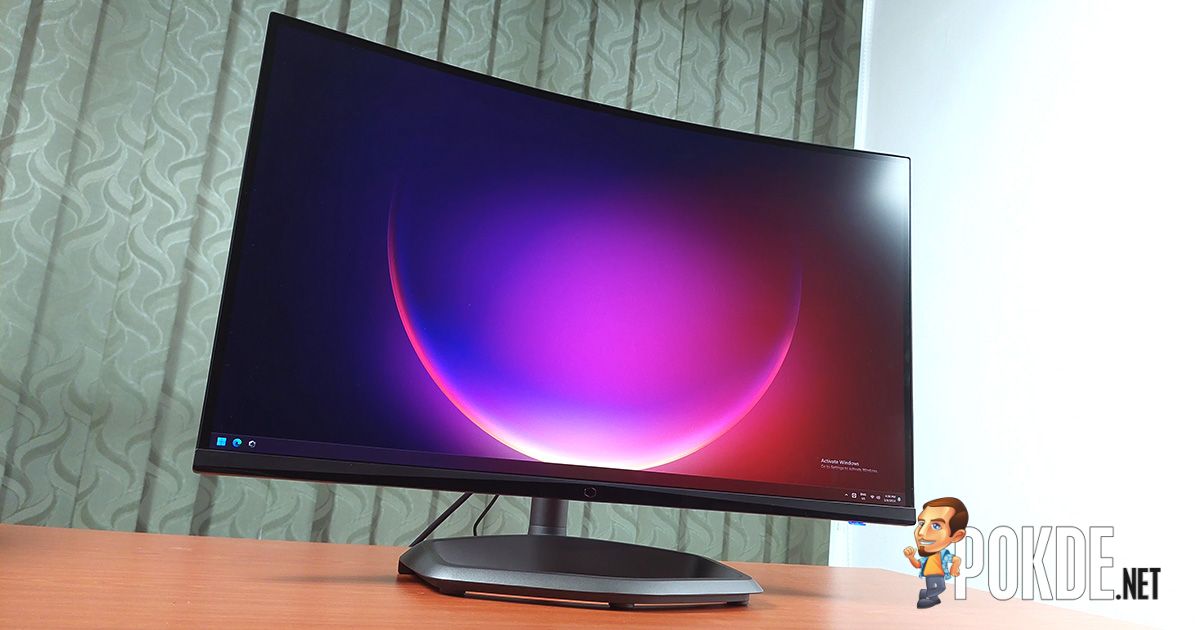
The monitor uses a 1500R curvature for its 27-inch VA anti-glare panel, which has characteristics such as higher contrast ratio over IPS (so you get darker blacks). The stand is the classic hexagon design modeled after the brand’s logo, and it supports a decent level of articulation (no pivot support, however). In terms of ports, it’s fairly basic – two HDMI 2.0 ports, one DisplayPort 1.2, and a headphone jack. No USB passthrough support here.
Specifications
Cooler Master GM27-CQS
Full specifications available on product page and product user manual (page 15).
| Display Panel Type | 27″ 1500R curved VA |
| Display Surface Type | Matte (anti-glare) |
| Resolution | 2560 x 1440 (16:9, QHD) |
| Refresh Rate | 170Hz (via DisplayPort) |
| Pixel Response Time | 0.5ms |
| Gamut Coverage | 120% sRGB 90% DCI-P3 |
| Color Depth | 8-bit (16.7M colors) |
| HDR Support | Yes |
| Brightness | 350 cd/m² |
| Contrast Ratio | 4,000:1 |
| Viewing Angle (CR≧10) | 178°(H) / 178°(V) |
| Variable Refresh Rate Support | AMD FreeSync NVIDIA G-SYNC Compatible |
| Display Certifications | – |
| I/O | 1x DisplayPort 1.2 2x HDMI 2.0 1x 3.5mm headphone jack 1x AC-in |
| KVM Switch | No |
| Onboard Speakers | 2x 2W stereo |
| Power Consumption | 18W (default, 200 nits) |
| Stand Articulation | Tilt: +20° ~ -5° Swivel: +15° ~ -15° Pivot: None Height Adjustment: 0~130 mm |
| VESA Mounting | 100 x 100 mm |
| Dimensions & Weight | Monitor only: 610.5 x 84.3 x 362.5 mm, 3.38kg Monitor with stand: 610.5 x 273.7 x 430~560mm, 5.02kg |
Performance
Brightness Uniformity

Starting off with brightness uniformity test, and it turns out the VA panel used in the GM27-CQS has a relatively weak uniformity performance. While the display brightness is advertised as 350 nits, in practice we only see a maximum of ~317 nits, and there are significant deviations on the bottom half of the display as you crank up the brightness.
Color Accuracy & Gamut
| Measurement: sRGB | Preset: Standard (100% brightness) |
|---|---|
| Whitepoint | 7224K |
| Average ΔE | 2.97 |
| Maximum ΔE | 8.27 |
| Measurement: DCI-P3 | Preset: Standard (100% brightness) |
|---|---|
| Whitepoint | 7217K |
| Average ΔE | 3.25 |
| Maximum ΔE | 8.43 |
For a budget QHD gaming monitor, the color performance is somewhat decent, especially given that the monitor already comes with gamut clamping and presets that, on paper, allows you to just fire-and-forget; however, no factory calibration was made here, which means you’ll have to do this manually if you want a good degree of color accuracy. In general though, if you’re not picky on colors, it’ll serve you perfectly fine – especially given the degree of controls available in the monitor OSD.
That being said, we noticed that the VA panel has trouble accurately reproducing one particular shade of dark blue (hex code #0036FF) despite multiple calibration attempts. This may vary from panel to panel, so your mileage may vary.


| DisplayCAL Measurement | Gamut | Coverage |
|---|---|---|
| sRGB | 98.0% | 122.9% |
| Adobe RGB | 80.8% | 84.7% |
| DCI-P3 | 86.9% | 87.1% |
Cooler Master advertises 120% sRGB and 90% DCI-P3 coverage, and our measurements mostly reflects that. Interestingly, the sRGB coverage is slightly wider than what was advertised, and covers nearly the entire gamut of the color space.
Panel Response Time


Next up is the Blur Busters UFO test: while the GM27-CQS offers a great level of control over display colors, the pixel response controls are only limited to several presets. This ranges from completely off to Ultra Fast (plus a Dynamic mode), and we find the panel has a pretty severe case of undershoot across the board when you put it on the less aggressive settings.
Any specific setting also has the tendency to only work on a narrow range of colors, as you can see on the Ultra Fast example – the darker shade shows minor signs of overshoot (inverse ghosting), while the brighter shade shows significant pixel overshoot. The middle section is the clearest, but you can’t get all three to maintain equal amounts of clarity, like the ASUS ROG Strix XG27ACS we previously reviewed.
The Good

If you like value, you will like the Cooler Master GM27-CQS monitor. It sits on the lower end of the pricing spectrum amongst the wide range of QHD gaming monitors, and you’re getting a decent VA panel that delivers good enough performance for those who are mainly looking for a smooth experience rather than competitive advantage.
Emphasis on “good enough” – you’ll have to keep your expectations reasonable despite its pretty fancy specs. Still, 1440p at 170Hz (144Hz if you use HDMI) gives you the right amount of pixel density and motion smoothness, and the degree of adjustment when it comes to color tuning is right up there among the best we’ve seen thus far.
The Bad

While there is some good things to say about the GM27-CQS, it isn’t without its flaws. For one, the panel brightness is measurably inconsistent across the board, which is more pronounced as you crank up the brightness. Speaking of brightness, Cooler Master says this monitor supports HDR, though this is only a technicality. In practice, its maximum brightness doesn’t even qualify for VESA’s lowest HDR certification standards (which requires 400 nits).
The panel’s pixel response performance is also far from perfect, given that it comes with a limited degree of controls, and the presets given only works with a narrow range of pixel brightness (and can easily undershoot or overshoot if the shade of gray is further or closer than its target brightness). For competitive gaming, you certainly have better options out there that can deliver better motion performance.
Verdict

All things considered, the Cooler Master GM27-CQS only costs RM889 at this moment – which is very cheap as far as QHD gaming monitors are concerned. If what you’re looking for is nothing much beyond a monitor that can simply deliver a QHD resolution at high refresh rates, this monitor is going to be a good deal. If you’re a casual gamer who wants something decent on the cheap, you might want to consider this one.

Special thanks to Cooler Master Malaysia for providing the GM27-CQS gaming monitor for this review.