Product Name: Sword 16 HX B14V
Brand: MSI
Offer price: 5899
Currency: MYR
-
Appearance - 7.5/10
7.5/10
-
Efficiency - 6.5/10
6.5/10
-
Features - 7.5/10
7.5/10
-
Materials - 8/10
8/10
-
Performance - 8/10
8/10
-
Portability - 7/10
7/10
-
User Experience (UX) - 8/10
8/10
-
Value - 8.3/10
8.3/10
Summary
In an age where GPUs are expensive (and so do laptops), the MSI Sword 16 HX B14V offers more bang for the buck in terms of performance, if you don’t mind some of its quirks.
Overall
7.6/10Pros
+ Solid CPU performance
+ Fast & colorful display
+ No significant hotspots on chassis
+ Good value
Cons
– Keyboard layout takes some learning curve
– No Thunderbolt ports
– Speakers lack punch
– No 0dB fan mode
– Subpar battery life
Unboxing


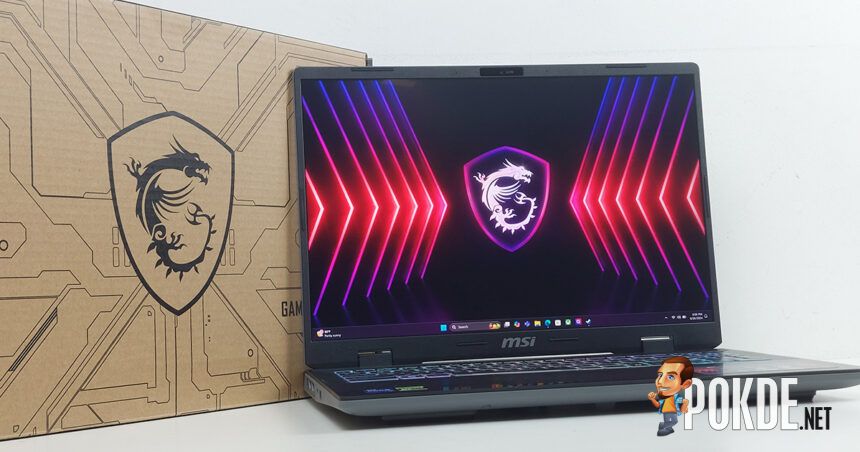
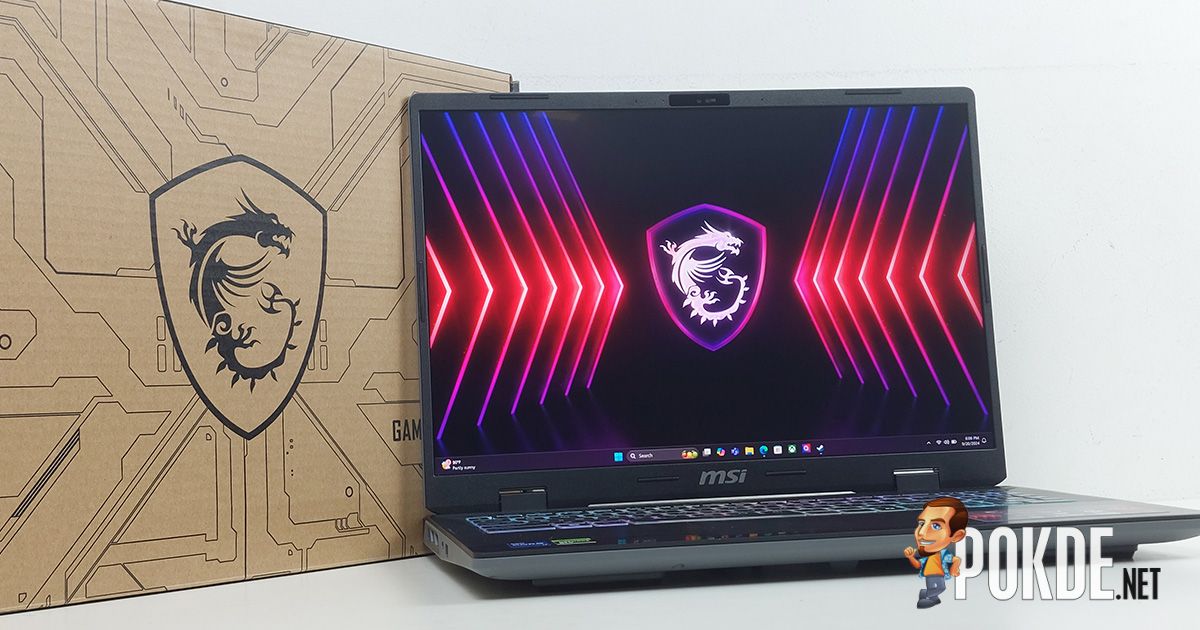
Today we’re taking a look at MSI Sword 16 HX (B14V), the Taiwanese laptop maker’s gaming laptop designed for the mainstream segment. You have one big box that packs another smaller box, along with the included laptop bag commonly available with gaming laptops.

Pop the inner box open and here are all the items laid out on the table:
– Quick start guide
– Warranty card
– Type G (UK) socket adapter
– 200W DC power supply
– MSI Sword 16 HX (B14V) laptop
Walkaround


Gaming laptops have come a long way from sharp edges, muscular lines and aggressive designs – the MSI Sword 16 has a subtle look overall when the laptop is closed. Opening up, you’ll be greeted with the display, a 16-inch QHD+ IPS-level anti-glare panel with 500 nits of rated brightness, and 240Hz refresh rate, which is a very decent set of specs as well. Housed within the thin bezel above is a 1080p webcam with a mechanical shutter, though you won’t find IR sensors here as it simply isn’t a necessity for gaming laptops.


You can still see small bits of gamer identity with its 24-zone RGB keyboard and a textured surface on top of it – which, surprisingly, isn’t perforated for airflow; however, under the laptop is where you can see lots of perforations to strategically direct the intake airflow to passively cool other components on top of the two silicon sitting in the middle of the laptop.
Speaking of keyboards, MSI has (in)famously kept its non-standard keyboard layout that puts an additional backslash (\) key next to the spacebar, and perhaps in an effort to retain the numpad in the 15/16-inch class laptops, it has also made another rather quirky layout on the right side of the keyboard. If you’re already familiar with basically any keyboard out there, getting into any MSI laptops will certainly warrant a learning curve, so keep that in mind.


This laptop is by no means designed with portability in mind, so what you get is a fairly thick laptop with a fair bit of space underneath to allow fresh air to enter the chassis. Also worth noting is the rear I/O layout, which is starting to become less common among gaming laptops due to increased cooling requirements (think ASUS’s more recent ROG Strix laptops).
The display hinge sits directly on top of the base which allows the display to open complete flat – again, not something very common among gaming laptops. What is common is the extra rear overhang that aids cooling, and in this case MSI has advertised this laptop featuring “six” exhausts instead of four (two on the side, two rearward, two upward). It’s mostly a technicality given that the two upward exhausts shares the same piece of heatsink, so make that of what you will.


The I/O layout is best described as “just enough” – surprisingly, this Intel-powered laptop doesn’t come with a single Thunderbolt port. Instead, the fastest port you get is just a USB 3.2 Gen 2 (10Gbps) Type-C port – though to be fair, this still gets you DisplayPort output and 100W Power Delivery capabilities, the latter of which can be a lifesaver if you’re taking this laptop elsewhere frequently.
Specifications
MSI Sword 16 HX B14VFKG-627MY
Full specifications available on product specifications webpage.
| CPU | Intel Core i7-14650HX (8P+8E – 16 cores, 24 threads) |
| RAM | 2x8GB DDR5-5600 (SODIMM) |
| GPU | Discrete: NVIDIA GeForce RTX 4060 Laptop GPU (115W TGP) Integrated: Intel UHD Graphics (16 EUs) |
| NPU | None |
| Storage | Micron 2400 1TB SSD (MTFDKBA1T0QFM – PCIe 4.0, M.2 2280) Secondary SSD slot available |
| Display | 16″ QHD+ 16:10 IPS-level 2560×1600 @ 240Hz 100% DCI-P3, 8-bit (16.7M colors) 500 nits max brightness Anti-glare non-touch panel |
| Audio | Downward-firing 2x 2W stereo speakers Nahimic Audio |
| Webcam | 1080p camera |
| I/O | Left: 1x USB 3.2 Gen 2 (10Gbps) Type-C (DisplayPort, 100W USB PD) 1x USB 3.2 Gen 1 (5Gbps) Type-A Right: 1x USB 3.2 Gen 1 (5Gbps) Type-A 1x 3.5mm audio combo jack Rear: 1x USB 3.2 Gen 1 (5Gbps) Type-A 1x HDMI 2.1 1x RJ-45 LAN 1x DC-in |
| Connectivity | Wi-Fi 6E, Bluetooth 5.3 (Intel AX211) |
| Battery | 65Wh 4-cell Li-ion |
| Power Supply | 200W, DC barrel jack |
| Operating System | Windows 11 Home |
| Dimensions | 359 x 266.4 x 21.8~27.7 mm |
| Weight | 2.3kg |
Performance
Storage

The SSD found on this laptop is a Micron 2400 unit commonly found as the default storage for several laptops we’ve tested in recent times, and it’s a mid-range PCIe 4.0 SSD that does decent as far as performance is concerned.
CPU


The MSI Sword 16 HX that we’re testing here comes with the Intel Core i7-14650HX processor, a 16-core (8P+8E) unit that is largely derived from the desktop counterpart with additional power budget given to extract more performance. Given enough power, the Sword 16 HX easily leads the multi-core benchmark, though this lead is largely irrelevant in more “bursty” workloads as demonstrated by the single-run Cinebench R20 result.
GPU

Here’s a good opportunity to talk about the “MSI AI Engine” power profile. So, what exactly is it? On paper, MSI says this mode will determine the best power profile to use based on your current workload, so you don’t have to switch between power profiles manually. Good idea, but in practice we found that it can take a while before the profile will respond with appropriate power limits. When it does, a compute-only workload will be given the maximum power available to produce the results as seen above.


However, it’s not exactly spot on in terms of what kind of power profile it should use. In all four of the 3DMark tests, the MSI AI Engine decided to stick with Balanced power profile, which consumes a fair bit less power in exchange for lower fan noises. The NVIDIA GeForce RTX 4060 laptop GPU in this laptop has decent amounts of performance – at least close enough to contend some laptops with the higher-end RTX 4070 packed inside.
System

In NovaBench, we observed mostly similar levels of performance with the Silent mode being the sole exception, though it’s slightly behind the ASUS TUF Gaming F16, which features a mostly identical CPU (i7-13650HX) despite having a slightly weaker GPU onboard.

Moving on to PCMark 10, we see Extreme Performance mode nets the highest score, thanks in large part to the Digital Content Creation scores that outpaces other power profiles. That being said, AMD-based systems tend to perform better in the same metric, which is why the Lenovo LOQ 15 managed to lead this chart.
Gaming


For gaming benchmarks, here’s what to expect – there is quite a discrepancy in terms of GPU power between Balanced and Extreme Performance, and the trade-off involves significantly higher fan noise if you want all of the performance this GPU can offer. In fairness, MSI does allow you to fine tune the fan profile (via MSI Center app) if you don’t mind a slightly hotter GPU, but I personally think it’s a worthwhile tradeoff because you left so much performance on the table outside of the most aggressive power setting.
MSI does allow NVIDIA’s WhisperMode feature to take over on the Silent mode, and this causes some games to lock at a certain framerate – the default is 40FPS. However, it seems like not all games follow this limit, especially Black Myth: Wukong, which has gone as far to almost entirely ignore the preset TGP limits that we’ve observed when running a quick Furmark stress test to verify each power profiles.
Battery

The battery life of the Sword 16 HX is less than stellar, to say the least. Note that all three runs are done without explicitly turning off the discrete GPU to represent default behavior, and we think you can definitely extract quite a bit more runtime if you opt to turn off the GPU entirely during battery mode.
Besides the three power profiles (we skipped Extreme Performance mode because it simply doesn’t make sense), there is also a “Super Battery” power profile that is designed to maximize battery life. The result? 209 minutes – just five more than the MSI AI Engine’s result, and in turn you have to deal with a CPU downclocked so much it’s lagging by just navigating through Windows 11 itself. In short: just turn off the dGPU, power profiles don’t help you much in this case.
The Good

The MSI Sword 16 HX has done a few basic things right, and this includes the CPU performance. Generally, we’re satisfied with the performance from Team Blue’s processor, so anyone who demands multi-core performance will find this laptop doing pretty solid in this aspect. Another highlight is the display: it’s not the OLED you’ll find in premium laptops, but it ticks all the boxes as far as a fast gaming display is concerned, and we have no complaints.
Another thing I’d like to praise MSI for is the cooling design. Some laptops suffers from significant hotspots in certain areas of the chassis, and this can range from mostly unintrusive to potentially causing discomforts during long usage sessions. We found that the Sword 16 HX has managed to keep most of the heat away from commonly touched surfaces, so long gaming sessions won’t end up burning your hands.
The Bad

As mentioned earlier in this review, MSI’s keyboard layout is not going to be of everyone’s taste, so you most certainly has to learn its rather quirky layout that involves two horizontal Enter keys, two backslash keys, and the Fn keys that sits on the right side. Surprisingly, this laptop lacks a 0dB mode, which is likely another factor that hurts its battery life.
You also don’t get any Thunderbolt ports from this laptop, so any high-speed accessories is an automatic no-go; speakers is admittedly not good at reproducing bass as well. In fairness to MSI – with the relatively cheap price tag this laptop is currently offering, I can understand some of the corners being cut to keep the costs low.
Verdict

So, what is the price tag you’re looking at? You can currently purchase this laptop at RM5,899; though at this writing the price listed at RM5,699, so that’s another small discount to sweeten the deal. Let’s face it – laptops in the past two years are far from cheap, but the MSI Sword 16 HX is one of those that can be a pretty enticing option if performance is a priority more than anything else (that you’re willing to compromise on).

Our thanks to MSI Malaysia for providing the Sword 16 HX (B14V) gaming laptop for this review.